Fusion with PowerShape
Fusion with PowerShape combines surface, solid, and mesh modeling for preparing molds, dies, and other complex parts for manufacture.
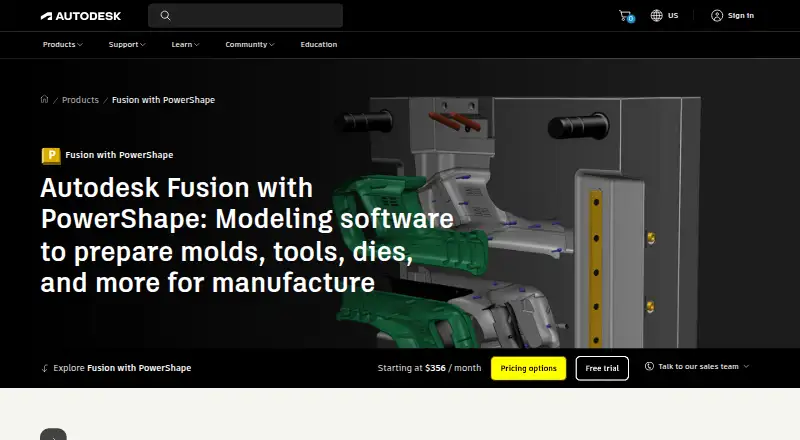
What Fusion with PowerShape is
Fusion with PowerShape combines surface, solid, and mesh modeling for preparing molds, dies, and other complex parts for manufacture. The Windows product supports core and cavity splitting, electrode design and manufacture, and automated rib capping for EDM. It can inspect imported CAD models for faults that could complicate downstream work, and create CAM-specific geometry for use with PowerMill; Autodesk also describes it as a modeling companion for PowerMill or FeatureCAM. Mechanical and thermal simulation tools are included to verify 3D designs. PowerShape now includes Fusion and Fusion Team, and supports assembly design, surface modeling, and cloud collaboration. It runs on Windows 10 and Windows 11. Import and export support covers formats such as DWG, DXF, STEP, IGES, STL, and others. Autodesk identifies manufacturers, manufacturing engineers, and CNC machine operators preparing designs for mass production as typical users. Pricing is on request, and a free 30-day trial is offered; there is no free plan.
Good
- Combines surface, solid, and mesh modeling
- Supports core and cavity splitting and electrode workflows
- Includes mechanical and thermal simulation
- Offers a free 30-day trial
Watch out
- No free plan
- Runs on Windows 10 and Windows 11 only
- Pricing is on request
Who it suits
Fusion with PowerShape suits manufacturers, manufacturing engineers, and CNC machine operators preparing designs for production. Its modeling, repair, CAM-geometry, and simulation tools are relevant to complex part workflows.
Verdict
Fusion with PowerShape combines modeling and manufacturing preparation tools for complex parts, with simulation and CAM-related workflows. Confirm the Windows requirement and request pricing before deciding.
Plans and prices
From Fusion with PowerShape's own pricing page, checked 11 Oct 2026.
| Plan | Price | What it gives you |
|---|---|---|
| Fusion with PowerShape subscription | Priced on request | Monthly, 1-year, or 3-year subscription options · Contact Autodesk for subscription pricing |
The facts
Each one read from Fusion with PowerShape's own pages, with the date it was checked.
What it does
- Assembly design
- Yeschecked 19 Sep 2026
- CAM integration
- PowerShape can create CAM-specific geometry for use with PowerMill and is described as a modeling companion for PowerMill or FeatureCAM.checked 11 Oct 2026
- Cloud collaboration
- Yeschecked 19 Sep 2026
- File import and export
- Import: PSModel, DWG, DXF, CATIA, Creo, IGES, Inventor, Parasolid, PLY, Rhino, SolidWorks, STEP, OBJ, STL, 3MF, and others. Export: DGK, DDX, Rhino, ACIS, PDF, FBX, DWG, DXF, IGES, Parasolid, STEP, STL, 3MF, OBJ, and others.checked 19 Sep 2026
- Included products
- PowerShape now includes Fusion and Fusion Team.checked 11 Oct 2026
- Intended users
- Autodesk identifies manufacturers, manufacturing engineers, and CNC machine operators preparing designs for mass production as typical users.checked 11 Oct 2026
- Manufacturing workflows
- It supports core and cavity splitting, electrode design and manufacture, and automated rib capping for EDM.checked 11 Oct 2026
- Modeling method
- hybridchecked 19 Sep 2026
- Model repair
- It can analyze imported CAD models to identify and fix faults that could complicate downstream processes.checked 11 Oct 2026
- Purpose
- Fusion with PowerShape combines surface, solid, and mesh modeling to prepare molds, dies, and other complex parts for manufacture.checked 11 Oct 2026
- Security and compliance
- Autodesk describes security controls including encryption in transit and at rest, but its Trust Center lists attestations and certifications by product, so the page does not establish PowerShape-specific certification.checked 11 Oct 2026
- Simulation
- The product includes mechanical and thermal simulation tools to verify 3D designs.checked 11 Oct 2026
- Support
- Purchases include 8x5 live support during local business hours; Autodesk also lists 24/7 support options for certain Success Plans.checked 11 Oct 2026
- Supported operating systems
- Autodesk says Fusion with PowerShape runs on Microsoft Windows 10 and Windows 11.checked 11 Oct 2026
- Surface modeling
- Yeschecked 19 Sep 2026
The company
- Company
- Autodesk lists its founding year as 1982 and its headquarters as San Francisco, California.checked 11 Oct 2026
- Founded
- 1982checked 4 Oct 2026
- Headquarters
- San Francisco, Californiachecked 4 Oct 2026
Money
- Free plan
- Nochecked 19 Sep 2026
- Free version
- Autodesk says to contact a local sales representative to discuss business needs and what time-limited version may be available.checked 11 Oct 2026
- Trial availability
- The product page offers a free 30-day trial.checked 11 Oct 2026
Where it runs
- Supported platforms
- Windows 10 and Windows 11checked 19 Sep 2026
Alternatives to Fusion with PowerShape
- 1
Rhino 3D
Free planiOSAPILinuxmacOS8.8Free plan - 2

Onshape
Free planAndroidiOSWeb8.6From $1,500 a year - 3
SOLIDWORKS
WebmacOSWindows8.3From $48 a year - 4

Shapr3D
Free planmacOSWindows8.1From $299 a year - 5

Plasticity
Free planLinuxmacOSWindows7.9$175 one-time - 6

OpenSCAD
Free planOpen sourceWebAPILinuxmacOS7.9Free plan