Freemake Audio Converter
Freemake Audio Converter is a Windows application for converting music files and extracting audio from video.
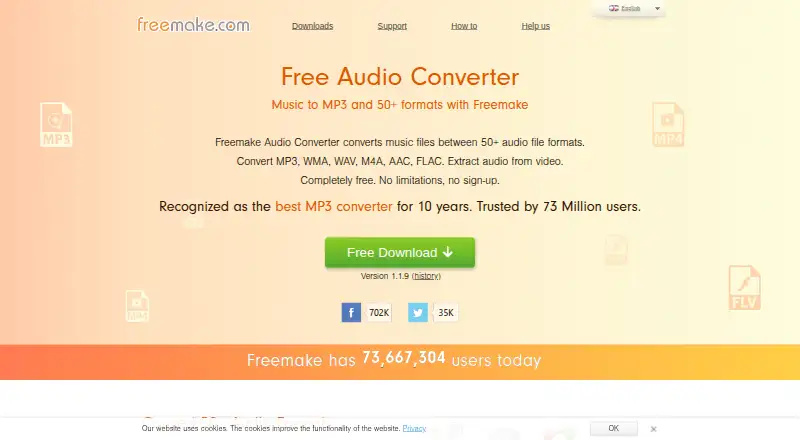
What Freemake Audio Converter is
Freemake Audio Converter is a Windows application for converting music files and extracting audio from video. It handles more than 50 non-protected audio formats, including MP3, AAC, M4A, WMA, OGG, FLAC, WAV, AMR, AIFF, MP2, and APE. Multiple tracks can be converted in a batch as separate outputs or combined into one media file. Conversion controls include codec, channels, bitrate, sample rate, and file size, with 5.1 and 7.1 surround sound options. The tool can merge songs with different formats and qualities into one file. Audio can be extracted from more than 500 video formats. Converted M4A and MP3 files can be added to an iTunes library or sent to Dropbox, Google Drive, or OneDrive. Version 1.1.9 lists support for Windows Vista, 7, 8, 8.1, 10, and 11. Requirements include a 1 GHz processor, .NET Framework 4.5, 256 MB RAM, and 25 MB disk space. The free plan costs nothing, with no limitations and no sign-up.
Good
- Converts more than 50 audio formats
- Supports batch conversion and audio joining
- Includes codec and quality controls
- Extracts audio from over 500 video formats
- Free plan has no sign-up
Watch out
- Windows-only application
- Cloud conversion is not available
- Handles non-protected audio formats
- Requires .NET Framework 4.5
Who it suits
Freemake Audio Converter suits Windows users converting or joining audio files, extracting sound from video, or adjusting conversion quality. It is also useful for batch work and the listed cloud destinations.
Verdict
Freemake Audio Converter offers broad format support, batch processing, editing controls, and video audio extraction at no cost. Its listed free plan has no limitations or sign-up, but use is limited to Windows.
Plans and prices
From Freemake Audio Converter's own pricing page, checked 9 Oct 2026.
| Plan | Price | What it gives you |
|---|---|---|
| Free Audio Converter | Free | No limitations · No sign-up · Windows |
The facts
Each one read from Freemake Audio Converter's own pages, with the date it was checked.
What it does
- Audio editing
- Users can set codec, channels, bitrate, sample rate, and file size, including 5.1 or 7.1 surround sound.checked 9 Oct 2026
- Audio formats
- It supports non-protected formats including MP3, AAC, M4A, WMA, OGG, FLAC, WAV, AMR, AIFF, MP2, and APE.checked 9 Oct 2026
- Audio joining
- It can merge and convert multiple songs into one file, including tracks in different formats and qualities.checked 9 Oct 2026
- Batch conversion
- It can convert multiple tracks in a batch, either separately or into one media file.checked 9 Oct 2026
- Integrations
- It can add M4A and MP3 files to an iTunes library and send converted files to Dropbox, Google Drive, or OneDrive.checked 9 Oct 2026
- Purpose
- Freemake Audio Converter converts music files between more than 50 audio formats and extracts audio from video.checked 9 Oct 2026
- Support
- Freemake directs users to its FAQ and invites them to submit a support request if they do not find an answer.checked 9 Oct 2026
- System requirements
- The product page lists a 1 GHz Intel, AMD, or compatible processor, .NET Framework 4.5, at least 256 MB RAM, and 25 MB of disk space.checked 9 Oct 2026
- Trust claims
- Freemake says its products are regularly checked on VirusTotal and signed with Microsoft Authenticode granted by GlobalSign.checked 9 Oct 2026
- Video input
- The Windows converter supports more than 500 video formats for audio extraction.checked 9 Oct 2026
The company
- Headquarters
- 60 Cannon Street, London, EC4N 6NP, UKchecked 28 Sep 2026
- Maker
- Freemake.com describes itself as an online project managed by Mixbyte LLC and lists a London address.checked 9 Oct 2026
Where it runs
- Platform support
- The download page lists Windows Vista, 7, 8, 8.1, 10, and 11 for Audio Converter version 1.1.9.checked 9 Oct 2026
Alternatives to Freemake Audio Converter
- 1
Lacuna
Free planiOSWebAPIExtension8.2From $9.50 a month - 2
Avidemux
Free planOpen sourceWebLinuxmacOSWindows7.3Free plan - 3

MediaCoder
Free planAPISelf-hostedWindows7.3A$189 one-time - 4
MediaHuman YouTube to MP3 Converter
Free planLinuxmacOSWindows7.3$29.99 one-time - 5

FFmpeg
Free planLinuxmacOSSelf-hostedWindows7.0Free plan - 6
Red Panda Compress Audio Converter
Free planAndroidiOSWebLinux6.8Free plan