FFmpeg Batch AV Converter
FFmpeg Batch AV Converter is a free graphical interface for using FFmpeg’s command-line capabilities to process audio and video.
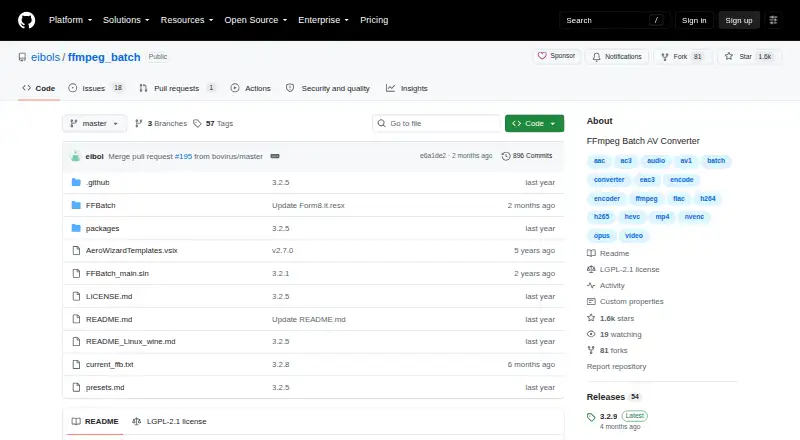
What FFmpeg Batch AV Converter is
FFmpeg Batch AV Converter is a free graphical interface for using FFmpeg’s command-line capabilities to process audio and video. It supports single-file and multi-file batch encoding for formats FFmpeg supports, including MP3, AAC, AC3, FLAC, WAV, Opus, and Vorbis. Encoding options include simultaneous jobs, two-pass encoding, fixed output target size, and saved custom parameters; an encoding wizard can help create parameters. Files can be dragged in, monitored for progress, paused or resumed, and assigned different encoding priorities. The application can also watch folders and shut down automatically after work finishes. Stream tools cover mapping, multiplexing, and demuxing, while subtitle processing can handle tracks or hardcoded subtitles. Other tools include trimming, concatenation, thumbnail extraction, image-to-video creation, silence detection, file splitting, and chapter creation. It can batch-download YouTube videos, live events, and m3u8 links through a youtube-dl/yt-dlp interface for supported URLs. It is free and open source under LGPL-2.1, with Windows and Linux support; Linux use requires Wine 9.0 or higher and wine-mono.
Good
- Unlimited single- or multi-file batch encoding
- Includes two-pass encoding and target-size controls
- Supports subtitle processing and stream operations
- Includes trimming, splitting, and chapter tools
- Free and open source under LGPL-2.1
Watch out
- Linux requires Wine 9.0 or higher and wine-mono
- Windows requires .NET 4.7.2 or higher and Visual C++ Redistributable 2010
Who it suits
It suits both experienced FFmpeg users and beginners who want a graphical way to run batch media jobs. Linux users should be prepared to install Wine 9.0 or higher and wine-mono.
Verdict
FFmpeg Batch AV Converter brings a wide set of encoding, subtitle, stream, and editing tools into a graphical workflow. Check the platform requirements before installing, especially for Linux.
Plans and prices
From FFmpeg Batch AV Converter's own pricing page, checked 7 Oct 2026.
| Plan | Price | What it gives you |
|---|---|---|
| Free and open source | Free | Unlimited single or multi-file batch encoding · Windows and Linux via Wine |
The facts
Each one read from FFmpeg Batch AV Converter's own pages, with the date it was checked.
What it does
- Additional media tools
- The application includes trimming, concatenation, thumbnail extraction, image-to-video creation, silence detection, file splitting, and chapter creation.checked 7 Oct 2026
- Audience
- The project says it is intended for both seasoned FFmpeg users and beginners.checked 7 Oct 2026
- Batch conversion
- Yeschecked 21 Sep 2026
- Batch encoding
- It supports unlimited single-file or multi-file batch encoding for almost any audio or video format.checked 7 Oct 2026
- Custom parameters
- Users can save custom FFmpeg parameters and use an encoding wizard to create them.checked 7 Oct 2026
- Development history
- The project says it has been developed as a free and open source application since 2017.checked 7 Oct 2026
- Donations
- The project asks users who find it useful to consider supporting the work with a complimentary donation.checked 7 Oct 2026
- Encoding features
- Features include simultaneous multi-file encoding, two-pass encoding, fixed output target size, and automatic folder monitoring.checked 7 Oct 2026
- License
- The GitHub repository identifies the project license as LGPL-2.1.checked 7 Oct 2026
- Purpose
- FFmpeg Batch AV Converter is a graphical front end for FFmpeg that lets users use FFmpeg command-line capabilities through a GUI.checked 7 Oct 2026
- Stream and subtitle tools
- Users can map, multiplex, mux, and demux streams, and batch process subtitles as tracks or hardcoded subtitles.checked 7 Oct 2026
- Supported systems
- The project describes the application as available for Windows and Linux, with Linux use through Wine-Mono.checked 7 Oct 2026
- URL downloads
- It can batch download YouTube videos, live YouTube events, and m3u8 links, and provides a youtube-dl/yt-dlp GUI for supported URLs.checked 7 Oct 2026
- Workflow controls
- The application supports drag and drop, progress information, encoding priority changes, pause and resume, and automatic shutdown.checked 7 Oct 2026
The company
- Founded
- 2017checked 28 Sep 2026
Money
- Free plan
- Yeschecked 21 Sep 2026
Where it runs
- Linux requirement
- The Linux Wine instructions specify Wine 9.0 or higher and say to install wine-mono for the application to work.checked 7 Oct 2026
- Windows requirements
- The download page lists Windows 7, 8, 10, or 11, 32-bit or 64-bit, .NET runtime 4.7.2 or higher, and Visual C++ Redistributable 2010.checked 7 Oct 2026
Alternatives to FFmpeg Batch AV Converter
- 1
Lacuna
Free planiOSWebAPIExtension8.2From $9.50 a month - 2
Avidemux
Free planOpen sourceWebLinuxmacOSWindows7.3Free plan - 3

MediaCoder
Free planAPISelf-hostedWindows7.3A$189 one-time - 4
MediaHuman YouTube to MP3 Converter
Free planLinuxmacOSWindows7.3$29.99 one-time - 5

FFmpeg
Free planLinuxmacOSSelf-hostedWindows7.0Free plan - 6
Red Panda Compress Audio Converter
Free planAndroidiOSWebLinux6.8Free plan