
FaceFusion
FaceFusion is software for manipulating faces in photos and videos on a user's own machine.
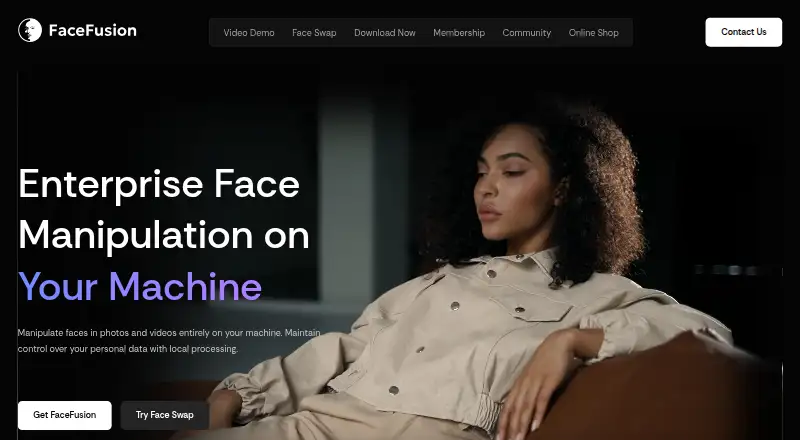
What FaceFusion is
FaceFusion is software for manipulating faces in photos and videos on a user's own machine. Its face-swapping tools use AI models and precision masking, and it supports video swaps with multiple faces. The site describes local processing as a way for users to retain control over personal data and invites users to clone the source code locally. Installation documentation lists Linux, macOS and Windows. Windows and macOS installers automate setup for Git, Conda and FFmpeg, and include an accelerator choice, shortcuts and an uninstaller. Installation requires technical skills and is not recommended for beginners. FaceFusion lists HyperSwap plugin integrations for After Effects, Premiere Pro, Nuke and DaVinci Resolve; OBS Studio is available on request. A cloud API is also linked through partner Segmind. The software is distributed under the OpenRAIL-AS license, while supplied assets may have individual licenses. FaceFusion says it abstains from processing nudity, graphic content and sensitive material, and warns against pornographic or unauthorized use. Paid options include a Windows installer for $20.00 once and a macOS installer for $30.00 once.
Good
- Local processing keeps personal data under user control.
- Supports face swaps with precision masking.
- Can handle multiple faces in video.
- Lists integrations with four editing applications.
- Source code can be cloned locally.
Watch out
- Installation requires technical skills.
- Not recommended for beginners.
- OBS Studio is available on request.
- Provided assets may have individual licenses.
Who it suits
FaceFusion may suit technically confident users who want local face manipulation or face-swapping workflows. Its listed editing integrations may interest users working with supported video tools.
Verdict
FaceFusion offers local face manipulation alongside plugin integrations and an API option. Its technical installation requirements and stated restrictions on sensitive or unauthorized use are important to consider.
Plans and prices
From FaceFusion's own pricing page, checked 4 Oct 2026.
| Plan | Price | What it gives you |
|---|---|---|
| FaceFusion Windows Installer | $20, paid once | Windows 10 and Windows 11 · One payment, lifetime access |
| FaceFusion macOS Installer | $30, paid once | macOS Sequoia and macOS Tahoe · One payment, lifetime access |
| Fund AI Workstation | $50, paid once | Contribution toward the AI workstation |
| Video Consultation | $150, paid once | Live support for macOS, Windows, and Linux |
The facts
Each one read from FaceFusion's own pages, with the date it was checked.
What it does
- Cloud API
- The site says users can bring HyperSwap to production with cloud partner Segmind and links to an API.checked 4 Oct 2026
- Installer setup
- The Windows and macOS installers automate Git, Conda, and FFmpeg installation and provide an accelerator choice, shortcuts, and an uninstaller.checked 4 Oct 2026
- Integrations
- The site lists After Effects, Premiere Pro, Nuke, and DaVinci Resolve as available HyperSwap plugin integrations, and OBS Studio as available on request.checked 4 Oct 2026
- License
- FaceFusion is distributed under the OpenRAIL-AS license, while provided assets may have individual licenses.checked 4 Oct 2026
- Local processing
- The site says local processing lets users maintain control over personal data.checked 4 Oct 2026
- Misuse safeguards
- FaceFusion says it is designed to abstain from processing nudity, graphic content, and sensitive material, and warns users against pornographic or unauthorized use.checked 4 Oct 2026
- Support
- The shop offers video consultations with a FaceFusion team member for macOS, Windows, and Linux support.checked 4 Oct 2026
- Technical requirements
- The documentation says installation needs technical skills and is not recommended for beginners.checked 4 Oct 2026
- What it does
- FaceFusion describes itself as software for manipulating faces in photos and videos on your own machine.checked 4 Oct 2026
Where it runs
- Face swapping
- FaceFusion offers face swapping with AI models and precision masking.checked 4 Oct 2026
- Supported platforms
- The installation documentation lists Linux, macOS, and Windows as platforms.checked 4 Oct 2026
Money
- Free source code
- The site invites users to clone FaceFusion’s source code to their local machine.checked 4 Oct 2026
Alternatives to FaceFusion
- 1

Remaker AI
Free planAndroidiOSWebAPI8.2Free plan - 2

Viggle
Free planAndroidiOSWebAPI8.2From $7.99 a month - 3

AKOOL
Free planiOSWebAPImacOS8.1From $12 a month - 4

FazeSwap
Free planAndroidiOSWebAPI8.0From $6.19 a month - 5
Mango AI
Free planiOSWebWindows7.9From $49.99 a year - 6
GoEnhance AI Face Swap
Free planiOSWebAPI7.0From $10 a month