
Dr.Web CureIt!
Dr.Web CureIt! is a Windows utility for scanning and curing malware on infected workstations.
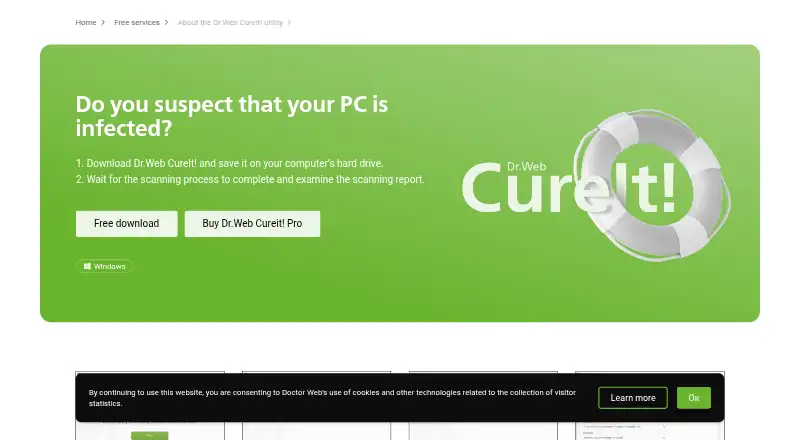
What Dr.Web CureIt! is
Dr.Web CureIt! is a Windows utility for scanning and curing malware on infected workstations. Its free plan is for one-time scans and costs nothing. A download includes current virus definitions, but it does not update automatically, so home users need to download it again for a current scan. The free version cannot select particular scan objects or use command-line parameters, and it does not provide real-time protection. Dr.Web CureIt! Pro adds selective scanning of files, folders, drives, network resources, and processes, plus command-line options for scripts and scheduled or automated IT systems. Pro also includes quarantine tools for exporting, importing, and cleaning items. During free scans, statistics and system information are sent to Doctor Web; the company says this does not include identifying personal information. Sending statistics is optional in the paid version. Doctor Web lists 24/7 technical support. The Pro plan is listed for five or ten days, but no price is given.
Good
- Free plan supports one-time scanning.
- Pro can scan selected files, folders, drives, and processes.
- Pro includes quarantine export, import, and cleaning.
- Doctor Web lists 24/7 technical support.
Watch out
- No real-time protection.
- Free scans cannot select scan objects.
- No automatic database updates.
- Free scans send statistics and system information.
Who it suits
The free version suits Windows users who need a one-time malware scan rather than continuous protection. Pro is aimed at corporate and advanced users who need more control over scanning and threat handling.
Verdict
Dr.Web CureIt! offers a no-cost, one-time malware scan for Windows, with more selective scanning and quarantine controls in Pro. It is not a substitute for real-time protection, and current definitions require a fresh download.
Plans and prices
From Dr.Web CureIt!'s own pricing page, checked 23 Sep 2026.
| Plan | Price | What it gives you |
|---|---|---|
| Free Dr.Web CureIt! | Free | One-time scanning |
| Dr.Web CureIt! | Free | one-time scanning · home use · Windows · no real-time protection · no automatic database updates |
| Dr.Web CureIt! Pro | — | Windows · customizable scanning · command-line parameters · advanced quarantine · corporate and advanced users · 5 or 10 days |
The facts
Each one read from Dr.Web CureIt!'s own pages, with the date it was checked.
What it does
- Automation integration
- Pro command-line parameters can integrate the scanner with scripts, task schedulers and automated IT infrastructure management systems.checked 1 Oct 2026
- Database updates
- The utility includes the latest virus definitions when downloaded but has no auto-update feature, so home users must download it again for a current scan.checked 1 Oct 2026
- Detection technology
- Doctor Web says its products use proprietary detection and curing technologies combining heuristic, behavioural, preventive non-signature and signature-based detection, plus machine learning.checked 1 Oct 2026
- Paid privacy option
- Sending statistics is optional in the paid version of Dr.Web CureIt!.checked 1 Oct 2026
- Personal data
- Doctor Web states that Dr.Web CureIt! does not collect or transmit personal information that may reveal a user's identity.checked 1 Oct 2026
- Pro scanning
- The Pro version can scan selected files, folders, drives, virtual drives, network resources and individual processes, including selective scanning scenarios.checked 1 Oct 2026
- Purpose
- Dr.Web CureIt! is a utility for scanning and curing infected workstations from malware.checked 1 Oct 2026
- Quarantine
- Pro provides quarantine management with export, import and cleaning features.checked 1 Oct 2026
- Real-time protection
- Dr.Web CureIt! is not designed to provide PCs with real-time protection from viruses.checked 1 Oct 2026
- Statistics collection
- The free version sends scanning statistics and system information such as CPU, RAM, operating system, installed security software and detected-threat data to Doctor Web during scans.checked 1 Oct 2026
- Support
- Doctor Web's support service provides 24/7 technical support and lists the phone number +7 (495) 789-45-86.checked 1 Oct 2026
- Target users
- Dr.Web CureIt! Pro is designed for corporate and advanced users who need control over detection and threat-neutralization processes.checked 1 Oct 2026
- Update frequency
- Dr.Web says its virus databases can be updated hourly or even more frequently.checked 1 Oct 2026
Money
- Free plan
- Yeschecked 23 Sep 2026
- Free scanning limits
- The free version supports one-time scanning, cannot choose objects for scanning, and does not implement command-line parameters.checked 1 Oct 2026
The company
- Headquarters
- Moscow, Russiachecked 28 Sep 2026
The full review of Dr.Web CureIt!
Overview
Dr.Web CureIt! is an on-demand Windows utility for scanning and curing malware on infected workstations. It suits home users who need a one-time check, and advanced or corporate users who want selective scanning and quarantine controls. Its main trade-off is clear: it can help clean an infection, but it does not provide real-time protection and must be downloaded again for current virus definitions.
Key features
The free edition runs a one-time scan and automatically handles remediation, but it does not let users choose which files or locations to scan. That makes it a straightforward cleanup option, not a flexible scanner for investigating a particular drive or process. It also lacks command-line parameters, limiting its usefulness in scripted or managed workflows.
CureIt! includes the latest virus definitions in each download, while the utility itself has no automatic update feature. Doctor Web says its databases may be updated hourly or more often, so users who need a current scan must fetch a fresh copy rather than rely on an installed utility staying current. The product is not a replacement for continuous antivirus protection.
In Pro, users can scan selected files, folders, drives, virtual drives, network resources and individual processes. Command-line parameters support scripts, task schedulers and automated IT management, while quarantine management adds export, import and cleaning controls. These are meaningful upgrades for administrators and advanced users who need to direct or automate cleanup; they matter less to someone running an occasional whole-system check.
Doctor Web describes its detection and curing approach as combining heuristic, behavioural, preventive non-signature and signature-based detection with machine learning. The free version sends scan statistics and system information—including hardware, operating system, installed security software and detected threats—to Doctor Web. Doctor Web says it does not collect or transmit personal information that can identify a user. In the paid version, sending statistics is optional.
Pricing
Free Dr.Web CureIt!: free for one-time scanning. The free edition is for home use on Windows, has no real-time protection or automatic database updates, and does not support selecting scan objects or command-line parameters. It is a no-cost choice for a one-off cleanup, not ongoing security.
Dr.Web CureIt!: free for one-time scanning, with home use, Windows, no real-time protection and no automatic database updates. The free-plan terms make the same core limits explicit: expect to download again when you need current definitions.
Dr.Web CureIt! Pro: custom pricing; the listed term is 5 days or 10 days. It is designed for corporate and advanced users, adding selective scanning, command-line integration and quarantine management. Those controls justify choosing Pro when the free edition's fixed scan and lack of automation are obstacles; occasional home users may not need them.
Platforms
Dr.Web CureIt! runs on Windows. The scan utility should not be mistaken for real-time protection, and its definition set does not update automatically.
Who it's for
Choose the free edition for a one-time Windows malware scan when you can work with its fixed scanning approach and download a fresh copy before a later scan. Pro is better suited to IT teams and advanced users who need to target specific resources, automate scans or manage quarantine contents. Readers seeking an always-on layer of protection should choose a real-time antivirus product instead.
Pros and cons
- Pro offers precise scan targeting: it can scan selected files, folders, drives, virtual drives, network resources and processes.
- Pro supports automation: command-line parameters can connect the scanner to scripts, schedulers and IT management systems.
- Free one-time scanning costs nothing: it provides a no-cost option for a Windows cleanup scan.
- No real-time protection: CureIt! does not continuously guard a PC against threats.
- Definitions do not update automatically: users need a fresh download for a current scan.
- Free scanning is less controllable: users cannot select scan objects or use command-line parameters.
- Free scans send diagnostic statistics: the paid version makes sending them optional, though Doctor Web says identifying personal information is not collected or transmitted.
Alternatives
For a broader comparison of cleanup tools, browse Malware Removal Software; for ongoing antivirus choices, see Antivirus software.
- Malwarebytes Premium is worth considering if you need a security product spanning Windows, macOS, iOS, Android and browser extensions.
- Spybot – Search & Destroy is another Windows freemium option, with a free edition that includes anti-spyware scanning and removal, rootkit scanning, system immunization and startup tools.
- MalCare is aimed at self-hosted and web environments rather than Windows workstations; its free plan offers weekly scans and alerts but excludes malware removal.
- Kaspersky Virus Removal Tool is a free alternative for Windows and Linux.
- SUPERAntiSpyware offers a Windows free edition for on-demand malware and spyware detection and removal, and is described as working alongside existing antivirus software.
- Emsisoft Emergency Kit provides a portable graphical malware scanner and command-line scanner free for non-commercial use.
- Dr.Web LiveDisk offers free system recovery from DVD or USB for 64-bit Windows systems.
- Panda Cloud Cleaner is another free Windows option.
Verdict
Dr.Web CureIt! is a sensible pick for Windows users who need a free, one-time malware scan, and Pro is the stronger fit for teams that need targeted scans, command-line automation and quarantine management. Its defining limitation is that it does not provide real-time protection or automatic definition updates. Choose it for cleanup; look elsewhere for ongoing defense.
Alternatives to Dr.Web CureIt!
- 1

BitNinja
Free planAndroidiOSWebAPI8.2From $6 a month - 2
Certo AntiSpy
Free planAndroidiOSmacOSWindows8.1From $39.99 a year - 3
ClamAV
Free planOpen sourceAPILinuxmacOSSelf-hosted7.6Free plan - 4
Virusdie
Free planWebAPI7.0From $15 a month - 5
MalCare
Free planWebSelf-hosted6.9From $99 a year - 6

Spybot – Search & Destroy
Free planWindows6.8Free plan