DesignSpark Mechanical
DesignSpark Mechanical is a Windows application for 2D and 3D mechanical design using direct modeling, with surface and parametric modeling also available.
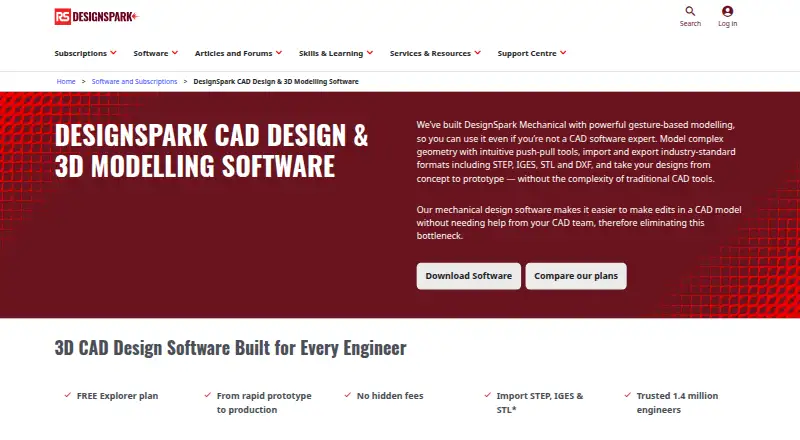
What DesignSpark Mechanical is
DesignSpark Mechanical is a Windows application for 2D and 3D mechanical design using direct modeling, with surface and parametric modeling also available. Pull, Combine, and Blend tools reshape solids, while parametric equations define curve patterns in two or three dimensions. The free Explorer plan provides basic direct modeling and bill-of-materials generation with no hidden fees. Creator and Engineer show free seven-day trials and add broader file capabilities; Engineer includes the Assembly Tool for constraints, movement, exploded views, and tracelines. An integrated library contains over one billion manufacturer-approved 3D part models, and RS product codes support bills of materials and production quotes. Drawing annotations cover ASME, JIS, ISO, and GB standards, including ASME Y14.5 GD&T. Supported formats include STEP, IGES, STL, and DXF, with plan-dependent import and export options. It runs on specified 64-bit Windows versions, lists unlimited projects and design size, and does not provide cloud collaboration.
Good
- Free Explorer plan
- 2D and 3D modeling
- Large manufacturer-approved part library
- Assembly tools in Engineer
- Supports major CAD exchange formats
Watch out
- Windows-only application
- No cloud collaboration
- Advanced plans show no printed prices
- Sheet-metal tools are unavailable
Who it suits
It suits mechanical designers working on Windows who need direct modeling, assemblies, drawings, and manufacturing-oriented parts. Teams requiring cloud collaboration should note that it is not offered.
Verdict
DesignSpark Mechanical offers a free starting tier and progressively broader mechanical-design tools. Plan differences, Windows requirements, and absent cloud collaboration matter when selecting it.
Plans and prices
From DesignSpark Mechanical's own pricing page, checked 27 Sep 2026.
| Plan | Price | What it gives you |
|---|---|---|
| Explorer | Free | Free plan with no hidden fees; a free 7-day trial is shown. · Free plan · Basic direct modeling · BOM generation |
| Creator | — | Free 7-day trial shown; paid amount is not printed. · 7-day free trial · Advanced file import and export · 3D Mirror and drawing-sheet detailing · billed yearly |
| Engineer | — | Free 7-day trial shown; paid amount is not printed. · 7-day free trial · Assembly Tool · Advanced file import and export · billed yearly |
The facts
Each one read from DesignSpark Mechanical's own pages, with the date it was checked.
What it does
- 3D part library
- The integrated library contains over one billion manufacturer-approved 3D part models.checked 27 Sep 2026
- Assembly design
- Yeschecked 23 Sep 2026
- Assembly tool
- The Assembly Tool supports constraints, movement, exploded views and tracelines, and is available in Engineer.checked 27 Sep 2026
- BOM and quotes
- Models use RS product codes to help create bills of materials and production quotes.checked 27 Sep 2026
- Cloud collaboration
- Nochecked 23 Sep 2026
- Complex geometry
- Pull, Combine and Blend tools transform solids into desired shapes.checked 27 Sep 2026
- Customization options
- Users can customize shortcuts, workspace views, rendering, shading, colors and toolbar layout.checked 27 Sep 2026
- Drawing standards
- Drawing annotations support ASME, JIS, ISO and GB standards and ASME Y14.5 GD&T.checked 27 Sep 2026
- Engineer adoption
- The page says DesignSpark is trusted by 1.4 million engineers.checked 27 Sep 2026
- File import and export
- Explorer imports RSDOC, RSDOCX, DSPCB IDF, TXT, JPG, BMP, PNG; exports RSDOCX, STL, OBJ, 3D PDF. Creator/Engineer also import OBJ, SKP, DXF, DWG, STEP, IGES, AVI, WMV, MKV; export AMF, DXF, DWG, STEP, IGES, GLB/GLTF, OBJ, VDB, 3D PDF, SKP, STL, XAML, JPG, PNG.checked 23 Sep 2026
- Modeling method
- The software uses gesture-based direct modeling with push-pull tools.checked 27 Sep 2026
- Parametric sketching
- Parametric equations define custom curve patterns in 2D and 3D space.checked 27 Sep 2026
- Pricing display
- Explorer is free; Creator and Engineer show monthly billing yearly, but no prices are printed.checked 27 Sep 2026
- Project limits
- The comparison lists unlimited projects and design size for DesignSpark Mechanical plans.checked 27 Sep 2026
- Reverse engineering
- Plans include reverse engineering a solid model from a 3D-scanned mesh such as STL.checked 27 Sep 2026
- Sheet-metal tools
- Nochecked 23 Sep 2026
- Supported formats
- It imports and exports STEP, IGES, STL and DXF formats.checked 27 Sep 2026
- Support resources
- Support includes questions, tutorials, advice and help from fellow engineers.checked 27 Sep 2026
The company
- Founded
- 2010checked 28 Sep 2026
- Headquarters
- Birchington Road, Weldon, Corby, Northamptonshire NN17 9RS, United Kingdomchecked 28 Sep 2026
- Team management
- Multi-user solutions let teams manage and reassign licenses as they evolve.checked 27 Sep 2026
Money
- Free plan
- Yeschecked 23 Sep 2026
- Free tier
- The Explorer plan is free and has no hidden fees.checked 27 Sep 2026
Where it runs
- Supported platforms
- Windows 10 (64-bit), Windows 11 (64-bit), Windows Server 2016 and 2019 (64-bit)checked 23 Sep 2026
Alternatives to DesignSpark Mechanical
- 1
Rhino 3D
Free planiOSAPILinuxmacOS8.8Free plan - 2

Onshape
Free planAndroidiOSWeb8.6From $1,500 a year - 3
SOLIDWORKS
WebmacOSWindows8.3From $48 a year - 4

Shapr3D
Free planmacOSWindows8.1From $299 a year - 5

Plasticity
Free planLinuxmacOSWindows7.9$175 one-time - 6

OpenSCAD
Free planOpen sourceWebAPILinuxmacOS7.9Free plan