Deep-Live-Cam
Deep-Live-Cam is an open-source desktop tool for real-time face swapping and creating virtual personas.
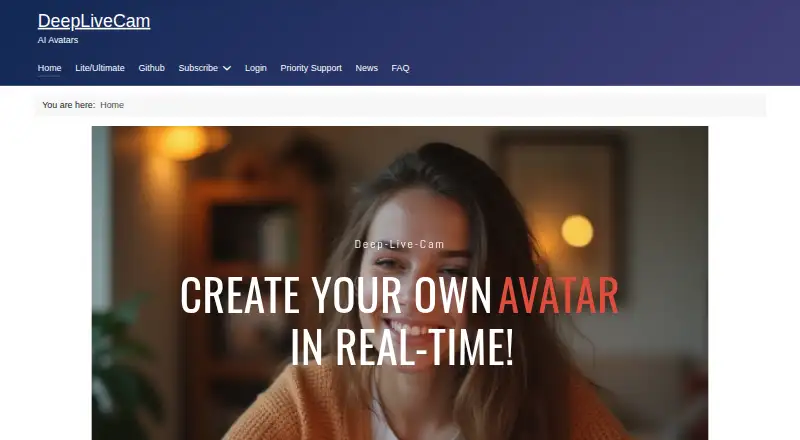
What Deep-Live-Cam is
Deep-Live-Cam is an open-source desktop tool for real-time face swapping and creating virtual personas. Its maker describes the software as offline, with no internet connection, uploads, or online dependencies required. The stated audience includes streamers, filmmakers, and content creators, with uses such as storytelling, virtual avatars, privacy-conscious streaming, and digital effects. The Lite edition has a one-click installer and no dependencies. The Source edition requires manual installation with Git, Python, and Pip, plus user-managed CUDA, C++, and FFmpeg dependencies. The Ultimate edition lists a virtual camera, rendering optimization, camera refresh, face enhancers, multiple masks, and a real-time video player. Its listed models include Inswapper, ReSwapper, Hyperswap, and FluxRT, with resolution options up to 1080p. OBS is required for the Ultimate virtual camera, while Lite can use Decart for full-body processing with a user-provided API key. Windows plans specify Windows 10 or later; the Mac plan requires Apple Silicon. The FAQ estimates startup at about 5 to 10 minutes, with performance varying by hardware.
Good
- Offline use is described by the maker
- Lite edition has a one-click installer
- Ultimate edition includes a virtual camera
- Output options extend up to 1080p
Watch out
- Source edition requires manual setup and dependencies
- Ultimate virtual camera lists OBS as a dependency
- Mac plan requires Apple Silicon
- Startup is estimated at around 5 to 10 minutes
Who it suits
Deep-Live-Cam may suit streamers, filmmakers, and content creators who want offline face-swapping tools. The appropriate edition depends on whether they prefer a simple installer or can manage manual dependencies.
Verdict
Deep-Live-Cam offers editions with different setup demands and feature sets, alongside an offline-use claim. Check the listed platform requirements and dependencies before choosing an edition; paid monthly plans start at $22 a month.
Plans and prices
From Deep-Live-Cam's own pricing page, checked 3 Oct 2026.
| Plan | Price | What it gives you |
|---|---|---|
| Monthly Subscriber (AMD) | $22 a month | Priority support · Latest Deep Live Cam Quickstart download · $ 22.00 / month |
| Monthly Subscriber (Nvidia) | $22 a month | Priority support · Latest Deep Live Cam Quickstart download · $ 22.00 / month |
| Monthly Subscriber (Mac) | $32 a month | Priority support · Latest Deep Live Cam Quickstart download · $ 32.00 / month |
| Quarterly Subscriber (AMD) | $40 a month | Priority support · Latest Deep Live Cam Quickstart download · $ 40.00 / 3 months · 33% off |
| Quarterly Subscriber (Nvidia) | $40 a month | Priority support · Latest Deep Live Cam Quickstart download · $ 40.00 / 3 months · 33% off |
| Quarterly Subscriber (Mac) | $60 a month | Priority support · Latest Deep Live Cam Quickstart download · $ 60.00 / 3 months |
The facts
Each one read from Deep-Live-Cam's own pages, with the date it was checked.
What it does
- Audience
- The maker identifies streamers, filmmakers, and content creators as users, and mentions storytelling, virtual avatars, privacy-conscious streaming, and digital effects as use cases.checked 3 Oct 2026
- Integration
- The site lists OBS as a dependency for the Ultimate virtual camera and says Lite can use Decart for full-body processing with a user-provided API key.checked 3 Oct 2026
- Lite setup
- The Lite edition is described as having a one-click installer and no dependencies.checked 3 Oct 2026
- Models and resolution
- The Ultimate comparison lists Inswapper, ReSwapper, Hyperswap, and FluxRT models and resolution options of 320, 480, 520, 720, and 1080.checked 3 Oct 2026
- Offline use
- The maker describes the desktop software as offline, requiring no internet, uploads, or online dependencies.checked 3 Oct 2026
- Performance
- The FAQ estimates around 8 FPS with an Nvidia GPU with 6GB VRAM, up to 20 FPS with an i9 and at least 24GB VRAM, and usually 6–10 FPS for AMD or Mac.checked 3 Oct 2026
- Privacy and security
- The site claims built-in security features and says users retain control of their privacy and data.checked 3 Oct 2026
- Purpose
- Deep-Live-Cam describes itself as an open-source AI tool for real-time face swapping and creating virtual personas.checked 3 Oct 2026
- Source edition
- The GitHub Source edition is installed manually using Git, Python, and Pip, with user-managed CUDA, C++, and FFmpeg dependencies.checked 3 Oct 2026
- Startup time
- The FAQ says the application usually takes around 5 to 10 minutes to start.checked 3 Oct 2026
- Support
- The listed paid plans include access to priority support and downloads of the latest Quickstart.checked 3 Oct 2026
- Ultimate features
- The Ultimate edition lists a virtual camera, automatic rendering optimization, camera refresh, GFPGAN and GPEN face enhancers, multiple masks, and a real-time video player.checked 3 Oct 2026
Where it runs
- Mac requirements
- The Mac plan page specifies Apple Silicon architecture only.checked 3 Oct 2026
- Windows requirements
- The Nvidia and AMD plan pages specify Windows 10 or higher; the Nvidia page recommends a 3060-or-higher GPU and 6GB or more VRAM for optimal use.checked 3 Oct 2026
Alternatives to Deep-Live-Cam
- 1

Remaker AI
Free planAndroidiOSWebAPI8.2Free plan - 2

Viggle
Free planAndroidiOSWebAPI8.2From $7.99 a month - 3

AKOOL
Free planiOSWebAPImacOS8.1From $12 a month - 4

FazeSwap
Free planAndroidiOSWebAPI8.0From $6.19 a month - 5
Mango AI
Free planiOSWebWindows7.9From $49.99 a year - 6
GoEnhance AI Face Swap
Free planiOSWebAPI7.0From $10 a month