DataCamp
DataCamp is a learning service from DataCamp, founded in 2013 and headquartered in New York City, United States.
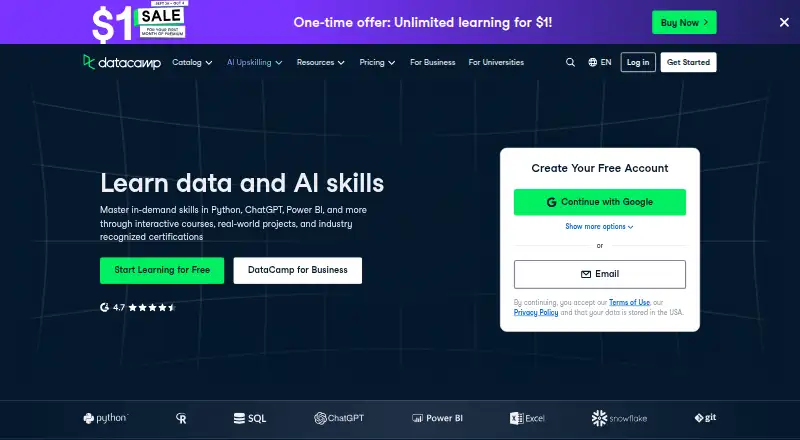
What DataCamp is
DataCamp is a learning service from DataCamp, founded in 2013 and headquartered in New York City, United States. It delivers courses in mixed formats through the web, iOS, and Android, with subscription access to its learning content. The free Basic plan costs nothing and opens the first chapter of every course, a professional profile, and limited practice and project access. Premium adds the complete course library, projects, certificates and certifications, Career and Skill tracks, and included course credits. Teams supports groups of two or more with group management, activity and progress tracking, and license tools. Enterprise adds personalized learning paths, single sign-on, learning management system integrations, and enterprise reporting. DataCamp offers course certificates, business plans, and mobile apps for both listed mobile platforms. Learning is online because offline access is unavailable. The plan structure accommodates individual learners as well as organizations managing training and reporting.
Good
- Free Basic plan includes the first chapter of every course
- Available on web, iOS, and Android
- Premium includes the full course library
- Course certificates and certifications are available
- Enterprise provides SSO and LMS integrations
Watch out
- Offline access is unavailable
- Basic limits practice and project access
Who it suits
DataCamp suits learners who want structured courses available on web, iOS, or Android, with certificates and progression options. Teams and Enterprise fit organizations needing group administration, learning tracking, personalized paths, or reporting.
Verdict
Choose DataCamp if you want mixed-format courses with a free starting plan and options for certificates or career tracks. Organizations should consider Teams or Enterprise for management and reporting capabilities; learners needing offline study should look elsewhere.
Plans and prices
From DataCamp's own pricing page, checked 15 Oct 2026.
| Plan | Price | What it gives you |
|---|---|---|
| Basic | Free | First chapter of every course · professional profile · cheat sheets and tutorials · mobile learning · assessments · live code-alongs · competitions |
| Premium | $14 a month | 800+ courses · projects · certificates · career and skill tracks · course credits · priority support · billed annually |
| Teams | $14 a month | Everything in Premium · group management · learning activity tracking · progress tracking · license management · per user, billed annually |
| Premium Student monthly | $24 a month | 800+ interactive courses · career tracks · certifications · unlimited Premium access · monthly |
| Premium Student yearly | $164 a year | 800+ interactive courses · career tracks · certifications · unlimited Premium access · annual payment |
| Enterprise | Priced on request | Custom tracks · advanced analytics · SSO · LMS integrations · Skill Matrix · priority support |
The facts
Each one read from DataCamp's own pages, with the date it was checked.
What it does
- AI assistant
- The business AI Assistant recommends courses, tracks, tutorials, webinars and projects and answers product questions from help content.checked 15 Oct 2026
- AI Tutor
- AI Tutor courses generate adaptive lessons, challenges and examples in real time and provide personalized feedback through interactive coding environments.checked 15 Oct 2026
- Career tracks
- Premium includes guided career and skill tracks covering roles and technologies such as Python, SQL, Power BI and R.checked 15 Oct 2026
- Certifications
- Premium, Teams and Enterprise subscriptions include DataCamp certificates and industry-focused certification programs.checked 15 Oct 2026
- Course certificates
- Yeschecked 20 Sep 2026
- Course formats
- mixedchecked 20 Sep 2026
- Course library
- The pricing page advertises access to more than 800 courses on Premium and Teams plans.checked 15 Oct 2026
- Data connector
- Enterprise customers can send detailed DataCamp data to BI and warehouse tools such as Tableau, Power BI and Databricks through a Data Connector.checked 15 Oct 2026
- Documentation depth
- DataCamp Light documentation covers installation, HTML exercise markup, pre-exercise code, sample code, solutions, hints, correctness tests, contributing and testing.checked 15 Oct 2026
- Encryption
- The security measures document says traffic uses encrypted connections and databases and backups use AES-256 encryption at rest.checked 15 Oct 2026
- Enterprise SSO
- Enterprise supports SAML 2.0 single sign-on with identity-provider attributes for user provisioning and authentication.checked 15 Oct 2026
- Funding and investors
- Crunchbase lists nine investors, including Accomplice and Section Partners, and five funding rounds with a Series B led by Spectrum Equity.checked 15 Oct 2026
- Hosting model
- DataCamp describes its platform as SaaS accessed through a browser or mobile application and does not document a self-hosted deployment option.checked 15 Oct 2026
- Interactive practice
- Courses include browser-based coding exercises, live code-alongs, bite-size practice and step-by-step projects.checked 15 Oct 2026
- Limit: practical depth
- A Gartner reviewer said the platform’s theoretical material did not always match the practical skills their team needed.checked 15 Oct 2026
- LMS integration
- DataCamp supports LTI 1.3 deep linking and Assignment and Grade Services so courses, projects, assessments, practices and tracks can launch from an LMS and report completions.checked 15 Oct 2026
Money
- Business plans
- Yeschecked 20 Sep 2026
- Free plan
- Yeschecked 20 Sep 2026
- Limit: price
- Capterra reviewers describe the service as expensive, especially for learners in lower-income countries.checked 15 Oct 2026
- Limit: subscription billing
- Reviewers report unexpected auto-renewals, difficulty canceling and dissatisfaction with refund restrictions; DataCamp confirms subscriptions auto-renew and says unused periods are not refunded or prorated.checked 15 Oct 2026
The company
- Company facts
- LinkedIn lists DataCamp as privately held, founded in 2014, headquartered in New York, New York, with 201–500 employees.checked 15 Oct 2026
- Company legal name
- Crunchbase identifies the company’s legal name as DataCamp Inc.checked 15 Oct 2026
- Founded
- 2013checked 28 Sep 2026
- Headquarters
- New York City, United Stateschecked 28 Sep 2026
The full review of DataCamp
DataCamp is a freemium learning service focused on courses, practice, projects and professional credentials. It suits individuals building data and career skills as well as organizations that need learner administration. The free entry point is useful for sampling, while serious progression depends on a paid tier.
Overview
Founded in 2013 and headquartered in New York City, DataCamp delivers mixed-format learning through the web and iOS and Android apps. Subscription access supports an ongoing course catalog rather than one-off purchases. Certificates and certifications give completed study a portable outcome, although the depth of that outcome depends on the plan.
Key features
DataCamp combines course content with practice and projects, so learners can move beyond passive video or reading. Basic members can sample the first chapter of every course and receive limited practice and project access; that is enough to judge the teaching style, but not enough for a complete curriculum. Premium opens the full course library, projects, certificates and certifications, career and skill tracks, and included course credits. Those additions make Premium the practical choice for learners who want a guided sequence or credentials rather than occasional previews.
The service supports professional profiles, including a free profile on Basic. Teams adds group management, learning-activity and progress tracking, and license-management tools for groups of two or more. Enterprise extends administration with personalized learning paths, single sign-on, LMS integrations and enterprise reporting. These business tiers are aimed at coordinated training rather than individual study.
There is no offline access. Mobile apps are available, but lessons require a connection, which matters to commuters, travelers and anyone with unreliable data service.
Pricing
Basic
Basic costs nothing. It includes the first chapter of every course, a free professional profile, and limited access to practice and projects. The zero price makes it a sensible catalog preview and a low-risk way to start a profile, but chapter and activity limits prevent it from replacing a full course subscription.
Premium
Premium has custom pricing. It includes the full course library, projects, certificates and certifications, career and skill tracks, and course credits. Choose it when you need complete courses, structured progression or documented completion; Basic is the better fit only when sampling is sufficient.
Teams
Teams has custom pricing and is for teams of two or more. Group management, progress and activity tracking, and license tools address shared training responsibilities. A solo learner gains nothing from its administrative focus.
Enterprise
Enterprise uses custom pricing. Personalized learning paths, SSO, LMS integrations and enterprise reporting target organizations with identity, integration and oversight requirements. Smaller groups should weigh whether Teams already covers their management needs.
Platforms
DataCamp runs on web, iOS and Android, with subscription access across those platforms. The mobile apps broaden where you can learn, but the lack of offline access means they do not support disconnected study.
Who it's for
Choose DataCamp for self-directed learners who want mixed-format courses, practical activities and a route toward certificates or career and skill tracks. Basic suits exploration and profile building. Premium is for learners committed to completing courses, while Teams and Enterprise fit employers managing multiple learners, licenses and reporting.
Look elsewhere if offline lessons are essential, if you need unrestricted learning without a subscription, or if a first-chapter preview is too limited for your evaluation.
Pros and cons
- Pros: Mixed-format courses combine study with practice and projects.
- Pros: Premium adds the full library, career and skill tracks, certificates, certifications and course credits.
- Pros: Basic provides the first chapter of every course and a professional profile at no cost.
- Pros: Teams and Enterprise provide progressively stronger management, integration and reporting controls.
- Cons: Basic limits course and activity access, so free use is mainly exploratory.
- Cons: Premium, Teams and Enterprise prices are custom, making budgeting less transparent.
- Cons: No offline access restricts learning when an internet connection is unavailable.
Alternatives
For a broad comparison of course catalogs, see Online Course Marketplaces or Training Content Libraries. Readers prioritizing game-like motivation can review Learning Gamification Software, while a wider university-style catalog is covered by MOOC Platforms. If interactive coding environments matter more than a course subscription, consider Coding Playgrounds.
edX is preferable when you want free audit access with optional certificates, although its Audit track excludes graded assignments and certificates. Alison suits self-paced free courses with certificates and diplomas available, while FutureLearn offers limited-access short-course materials delivered weekly. Choose Pluralsight for a paid technology-focused subscription with a 10-day trial; its Core Tech plan costs $449 a year billed annually, with labs excluded from the trial. Stepik is an option for free public courses with automatically checked assignments. OpenClassrooms provides free-access courses and paid training paths from €300 a month. Great Learning offers more than 1,000 free self-paced courses, with certificates available for a nominal fee. NPTEL provides free course enrollment and materials with an optional proctored certification exam.
Verdict
DataCamp is a strong choice for learners who want a structured, mixed-format path from introductory chapters to practical projects and certificates, with mobile and web access. Its main reasons to look elsewhere are custom-priced paid tiers, Basic's tight limits and the complete absence of offline study.
Getting started
- Open the DataCamp website
- Choose the web, iOS, or Android platform
- Start with the free Basic plan
- Upgrade to Premium, Teams, or Enterprise if required
Limits worth knowing
Basic includes only the first chapter of every course, a professional profile, and limited practice and project access. Premium, Teams, and Enterprise expand access and administration features.
Questions
Is DataCamp free?
Yes. The Basic plan costs nothing and includes the first chapter of every course, a professional profile, and limited practice and project access.
Which platforms support DataCamp?
DataCamp is available on the web, iOS, and Android.
Does DataCamp offer certificates?
Yes. Course certificates, certificates and certifications, are available through its plans.
Does DataCamp have business plans?
Yes. Teams is for groups of two or more, while Enterprise includes personalized learning paths, SSO, LMS integrations, and enterprise reporting.
Can I use DataCamp offline?
No. Offline access is not available.
Alternatives to DataCamp
- 1

edX
Free planAndroidiOSWeb8.8From $150 a year - 2
Stepik
Free planAndroidiOSWebAPI8.8From 2,900 RUB a month - 3

Pluralsight
AndroidiOSWebAPI8.7From $299 a year - 4

Alison
Free planAndroidiOSWeb8.7From $5 a month - 5

Great Learning
Free planAndroidiOSWeb8.7From ₹999 a month - 6
XuetangX
Free planAndroidiOSWeb8.5CN¥299 one-time