DaaS
DaaS provides a cloud-hosted workstation that users access through a browser on an internet-connected device.
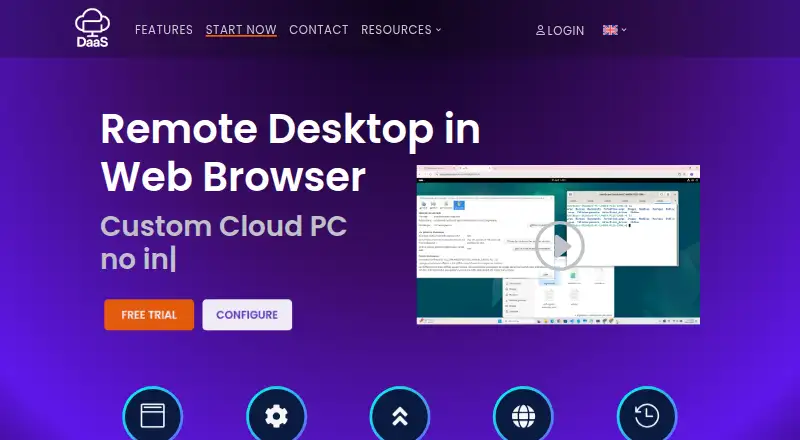
What DaaS is
DaaS provides a cloud-hosted workstation that users access through a browser on an internet-connected device. Firefox, Chrome, and Microsoft Edge are listed as compatible. Users can configure a virtual computer's CPU, GPU, RAM, operating system, and storage, while the provider says it manages infrastructure, maintenance, and software updates. The service is described for training organizations, enterprises, integration testing, and marketing workflows. Its maker says rented computers can run tools including Stable Diffusion, Mixtral, Whisper, and n8n, and describes scaling from 0 to 100 machines. The free option is limited to one hour per day and provides Ubuntu Desktop 24.04, 4 GB RAM, 8 GB storage, one CPU core, and one machine in a private network. Paid rentals are billed per day, with hourly rental price depending on configuration; options include Ubuntu Desktop LTS or Windows 11, customizable resources, multiple machines, GPU options, and optional live backup. Custom operating systems are supported in Qcow2 or ISO format. DaaS recommends a stable internet connection of at least 5 Mbps per user.
Good
- Browser access works through three listed browsers.
- CPU, GPU, RAM, OS, and storage are configurable.
- Provider manages infrastructure, maintenance, and software updates.
- Paid configurations list GPU options and multiple machines.
Watch out
- Free option is limited to one hour per day.
- Free machine has 4 GB RAM and one CPU core.
- Paid rental price depends on configuration.
- Use requires internet; 5 Mbps per user is recommended.
Who it suits
DaaS may suit training organizations, enterprises, and teams handling integration testing or marketing workflows that need configurable cloud workstations. Users should have a stable internet connection and check whether the free daily limit meets their needs.
Verdict
DaaS offers configurable browser-accessed workstations with the provider managing infrastructure and updates. The free option is tightly limited, while paid rental costs vary with the machine configuration.
Plans and prices
From DaaS's own pricing page, checked 15 Oct 2026.
| Plan | Price | What it gives you |
|---|---|---|
| Free | Free | Ubuntu Desktop 24.04 · 4 GB RAM · 8 GB storage · 1 CPU core · one machine in private network · 1 hour per day |
| Paid | Priced on request | Ubuntu Desktop LTS or Windows 11 · customizable CPU, RAM, storage and GPU · Qcow2/ISO custom OS · optional live backup · multiple machines · Pay per day; hourly rental varies by configuration |
The facts
Each one read from DaaS's own pages, with the date it was checked.
What it does
- AI and automation
- The homepage names Stable Diffusion, Mixtral, Whisper and n8n as tools users can run on rented machines.checked 15 Oct 2026
- AI tools
- The maker says rented computers can run tools including Stable Diffusion, Mixtral, Whisper and n8n.checked 8 Oct 2026
- Backup
- Live backup is listed as optional for paid machines, while the homepage advertises a strong backup policy.checked 15 Oct 2026
- Bandwidth requirement
- The FAQ recommends a stable connection of at least 5 Mbps per user.checked 15 Oct 2026
- Configuration
- Users can configure CPU, GPU, RAM, operating system and storage for their virtual computer.checked 8 Oct 2026
- Corporate registry
- Pappers records AMBIENT IT as an active French SARL created on 6 July 2015 with 10–19 employees in 2022 and €4,500 capital.checked 15 Oct 2026
- Enterprise use case
- The service is presented as a way for employees to use managed cloud computers while working remotely.checked 15 Oct 2026
- Gartner market definition
- Gartner says DaaS products require a vendor-managed cloud control plane, endpoint connectivity and secure remote desktop protocols.checked 15 Oct 2026
- Global access
- The vendor markets access to its cloud PCs from anywhere through an internet connection.checked 15 Oct 2026
- GPU options
- Listed paid GPU choices include RTX 5090, RTX PRO 6000, L4, A100, H100, H200 and several HGX/GB-series systems.checked 15 Oct 2026
- GPU surcharges
- The order form lists RTX 5090 at €99, RTX PRO 6000 at €199, L4 at €129 and A100 at €589.checked 15 Oct 2026
- Hosting
- The legal notice identifies French hosting provider IKOULA as the site host.checked 15 Oct 2026
- Integration testing
- The vendor says its configurable machines can provide test environments that match required configurations.checked 15 Oct 2026
- Licence
- The legal notice states that site text, images, video and logos are copyrighted and owned by AMBIENT IT unless stated otherwise.checked 15 Oct 2026
- Managed service
- The provider says it manages the infrastructure, maintenance and software updates.checked 8 Oct 2026
- Network recommendation
- The FAQ recommends a stable internet connection of at least 5 Mbps per user.checked 8 Oct 2026
- Notable news
- A January 25, 2026 BOAMP notice names AMBIENT IT as a winner of multiple OPCO ATLAS training contract lots, including lots valued at €7,080 and €9,858.checked 15 Oct 2026
- On-demand configuration
- Users select CPU, GPU, RAM, operating system and storage when creating a machine.checked 15 Oct 2026
- Operating systems
- Free machines use Ubuntu Desktop 24.04; paid machines list Ubuntu Desktop LTS and Windows 11, with custom Qcow2 or ISO images.checked 15 Oct 2026
Where it runs
- Browser access
- The service lists Firefox, Chrome and Microsoft Edge as compatible browsers.checked 15 Oct 2026
The company
- Company founding and size
- LinkedIn lists AMBIENT IT Academy as privately held, founded in 2015, headquartered in Pantin and employing 11–50 people.checked 15 Oct 2026
- Company identity
- The vendor legal notice identifies the publisher as AMBIENT IT, SIREN 812271013, with Jérémie Baldy as CEO.checked 15 Oct 2026
- Headquarters
- Pantin, Francechecked 28 Sep 2026
- Independent company financial snapshot
- La Vie Economique reports €2.6 million 2024 revenue, €69,000 net income and 10–19 employees for AMBIENT IT.checked 15 Oct 2026
The full review of DaaS
DaaS rents cloud-hosted workstations through a browser, with the provider handling infrastructure and updates. It is best suited to organizations that need configurable machines for variable workloads. Its daily rentals offer flexibility, but the free tier is too constrained for sustained work and paid costs depend on configuration.
Overview
Machines run in a public cloud and can be reached from an internet-connected device, avoiding the need to maintain workstation hardware locally. The provider manages infrastructure, maintenance and software updates, which reduces operational work for teams; it does not remove the need to choose a configuration that fits each workload.
The maker targets training organizations, enterprises, integration testing and marketing workflows, and describes scaling from zero to 100 machines. Browser access supports Firefox, Chrome and Microsoft Edge. A stable connection of at least 5 Mbps per user is recommended, so unreliable or heavily shared internet can undermine the experience. The service is less compelling for individuals who simply need a fixed desktop rather than configurable, rented capacity.
Key features
Configurable workstations
Paid machines let users choose CPU, GPU, RAM, storage and operating system. Ubuntu Desktop LTS and Windows 11 are supported, as are custom operating systems in Qcow2 or ISO format. This range is useful for integration testing and workloads that need graphics capacity or a specific environment, though the flexibility makes costs dependent on the selected machine.
Provider-managed operation
The provider takes responsibility for infrastructure, maintenance and software updates. That is a practical advantage for organizations without staff to manage desktop infrastructure, while teams needing direct control over locally maintained machines may prefer another approach. Optional live backup is available for an added charge; the homepage also promotes a strong backup policy, but that alone does not establish what coverage a particular rental receives.
AI and variable capacity
The maker says rented machines can run tools such as Stable Diffusion, Mixtral, Whisper and n8n. GPU options and the stated ability to scale from zero to 100 machines make the service relevant to changing workloads, but neither the tool examples nor the capacity claim indicate which configuration a particular job requires. Buyers should match machine choices to the workload rather than assume every rental suits every AI task.
Pricing
DaaS uses a freemium model and offers a free trial, but the free machine is a narrow preview rather than a general-purpose desktop. The Free plan costs free, billed for one hour per day. It provides one machine in a private network, running Ubuntu Desktop 24.04 with 4 GB RAM, 8 GB storage and one CPU core. That cap can support a brief evaluation, but it is inadequate for ongoing work or testing that needs Windows, more storage or greater capacity.
The Paid plan uses pay-per-day billing, with an hourly rental price that depends on machine configuration; pricing is custom rather than a single public rate. It adds customizable CPU, RAM and storage, multiple machines, GPU options, Ubuntu Desktop LTS or Windows 11, and optional live backup. This is the more relevant tier for teams scaling machines around specific projects, but configuration-based pricing makes it harder to budget without first settling on the required setup.
Platforms
DaaS is accessed on the web through Firefox, Chrome or Microsoft Edge, and the workstation can be reached from any internet-connected device. The available desktop systems are Ubuntu Desktop and Windows 11, with custom operating systems supported in Qcow2 or ISO format on paid machines. The service is a poor fit where users cannot count on a stable connection at the recommended 5 Mbps per person.
Who it's for
DaaS makes the most sense for organizations that need short-term or scalable desktop capacity for training, integration testing, marketing or other changing workloads, and want the provider to handle maintenance. Its configurable operating systems and GPU options are useful when teams need different environments or graphics resources. It is less suited to users seeking a long-running free desktop, a predictable fixed monthly price, or reliable access without a stable internet connection.
Pros and cons
- Managed infrastructure and updates: reduces desktop maintenance work for the organization.
- Flexible machine choices: configurable CPU, GPU, memory, storage and operating system support varied workloads and test environments.
- Scalable rentals: multiple machines and pay-per-day billing suit capacity that changes with projects.
- Severely capped free use: one hour per day on a low-spec Ubuntu machine is only suitable for a limited preview.
- Configuration-dependent paid cost: the hourly rate varies by machine, so the budget is not clear until requirements are defined.
- Connectivity dependency: the recommended 5 Mbps per user makes weak or shared internet a meaningful constraint.
- Backup costs extra: live backup is optional and paid, which matters to teams that require that feature.
Alternatives
Desktop as a Service Software is the category directory for comparing more services. DaDesktop is a paid alternative with no free plan; its Private Server plan is billed from ¥80 per day and allows unlimited desktops within server capacity, with sizing agreed with the team. Choose it when that server-based capacity model better fits the deployment.
Amazon WorkSpaces offers a Windows single-session user fee of $4.19 a month, plus provisioned instance-hour charges. It is worth considering when that per-user fee structure is a closer fit than DaaS's configuration-dependent daily rental. Ace Cloud Hosting Desktop as a Service has an Enterprise (Team Desktops) plan at $352.19 a month for 100 users on Windows Server 2022; teams seeking a published 100-user plan may prefer to evaluate it.
Dizzion Cloud PC uses dedicated persistent desktops with Core or Complete tiers and CPU or GPU workload configurations; pricing is available by contacting Dizzion. IronOrbit INFINITY Workspaces offers customized workspace tiers with pricing not published publicly. Selectel Desktop as a Service has a 2 vCPU, 4 GB RAM, 200 GB SSD configuration with no GPU for 3,050 RUB a month, and a second configuration at 4,200 RUB a month. These are options to compare when their published configurations or pricing approach better match a buyer's needs.
Inara Systems Desktop starts with a Bronze plan at £29.99 per user per month on a dedicated server, while its Silver plan is £34.99 per user per month on a shared server. V2 Cloud offers Basic Users at $35 a month for basic workloads such as front-desk, data-entry, call-center and administrative tasks. Consider either when those plan structures and workload descriptions align better with the intended use.
Verdict
Choose DaaS if your organization needs configurable, provider-managed workstations that can be rented for changing workloads, particularly when multiple machines, GPU options or different operating systems matter. Its strongest case is avoiding infrastructure upkeep while retaining configuration flexibility. Look elsewhere if you need substantial free use, a clear fixed paid price before choosing a machine, or dependable desktop access without stable internet.
Getting started
- Open https://desktop-as-a-service.io/
- Use Firefox, Chrome or Microsoft Edge
- Start with the free plan or free trial
- Choose a virtual machine configuration
- Connect through a stable internet connection of at least 5 Mbps per user
Limits worth knowing
The free plan is limited to one hour per day, one machine in a private network, Ubuntu Desktop 24.04, 4 GB RAM, 8 GB storage and one CPU core. Paid machines are billed per day, with rental cost determined by configuration.
Questions
Is DaaS free?
A Free plan costs 0.00 USD and is billed for one hour per day. A free trial is also offered.
Which platforms and browsers work with DaaS?
The service is web-based. Firefox, Chrome and Microsoft Edge are listed as compatible browsers.
Which operating systems are available?
The free plan uses Ubuntu Desktop 24.04. Paid machines support Ubuntu Desktop LTS or Windows 11, with custom systems supplied in Qcow2 or ISO format.
How is paid DaaS priced?
Paid machines are billed per day, and the hourly rental price depends on machine configuration.
Does DaaS provide backups?
Live backup is listed as an optional paid feature, and the homepage advertises a backup policy.
Who provides DaaS?
DaaS is headquartered in Pantin, France.
Alternatives to DaaS
- 1

Amazon WorkSpaces
Free planAndroidiOSWebAPI8.2From $3.25 a month - 2
DaDesktop
AndroidiOSWebAPI8.0From $0.12 a month - 3

Ace Cloud Hosting Desktop as a Service
AndroidiOSWebLinux7.2From $352.19 a month - 4

V2 Cloud
AndroidiOSWebLinux7.2From $35 a month - 5
Shells
AndroidiOSWebLinux7.0From $14.95 a month - 6
vDeskWorks
AndroidiOSWebLinux6.9From $59.95 a month