
Cribl Edge
Cribl Edge collects and processes host telemetry, including logs, metrics and application data, then delivers it to Cribl Stream or supported destinations.
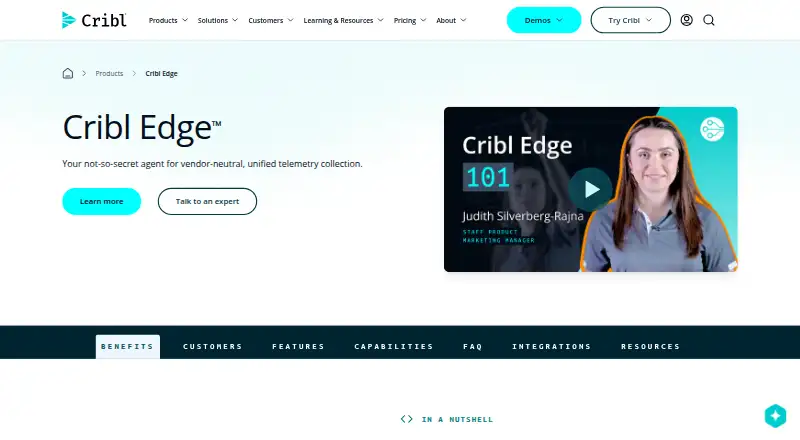
What Cribl Edge is
Cribl Edge collects and processes host telemetry, including logs, metrics and application data, then delivers it to Cribl Stream or supported destinations. It can discover host, container and application data, while Functions and Pipelines transform, enrich, reduce or redact data before routing. A centralized console lets teams manage and configure Edge agents across fleets. Teleport supports endpoint log and metric inspection, as well as local configuration previews and validation. Edge runs on Linux, Windows and macOS as a single instance or distributed deployment, including Docker and Kubernetes. Destinations include Amazon CloudWatch Logs, Amazon S3, Azure Event Hubs, Google Cloud Logging, Kafka and Splunk HEC. The product page says Edge can manage up to 250,000 nodes, while its free plan is limited to 100 Edge Nodes and includes up to 1TB/day, one Fleet and Community Support. Windows deployments do not support Kubernetes sources, and the Grok Function is unavailable on Windows.
Good
- Collects logs, metrics and application data.
- Functions and Pipelines can redact and enrich data.
- Central console manages Edge agents across fleets.
- Supports Linux, Windows and macOS.
- Free plan includes up to 1TB/day.
Watch out
- Free plan is limited to 100 Edge Nodes.
- Windows lacks Kubernetes sources.
- Grok Function is unavailable on Windows.
Who it suits
Cribl Edge is for ITOps and SecOps engineers and users of operational or security intelligence products who need to collect and process host data. The free tier may suit smaller deployments within its 100-node limit.
Verdict
Cribl Edge combines endpoint collection, processing and fleet management across several deployment options. The free plan has clear node and daily-ingestion limits, and Windows users face two stated feature restrictions.
Plans and prices
From Cribl Edge's own pricing page, checked 2 Oct 2026.
| Plan | Price | What it gives you |
|---|---|---|
| Free | Free | Up to 1TB/day · 100 Edge Nodes · 1 Fleet · Community Support |
| Edge - Cloud Ingest (Standard & Enterprise) | Priced on request | Daily ingestion rates · Ingestion is billed once when data is sent from Cribl Edge to Cribl Stream · 1 credit = $1 |
The facts
Each one read from Cribl Edge's own pages, with the date it was checked.
What it does
- Audience
- Cribl says Edge is built for ITOps and SecOps engineers and users of operational and security intelligence products who want to simplify host data collection and analysis.checked 2 Oct 2026
- Deployment
- Edge can run on Linux, Windows, and macOS, as a single instance or in distributed deployments, and in Docker or Kubernetes.checked 2 Oct 2026
- Discovery
- It can automatically discover and collect host, container, and application metrics and logs from endpoints.checked 2 Oct 2026
- Fleet management
- A centralized console lets teams monitor, manage, and configure Edge agents across fleets.checked 2 Oct 2026
- Integrations
- Supported destinations include Amazon CloudWatch Logs, Amazon S3, Azure Event Hubs, Google Cloud Logging, Kafka, Splunk HEC, and many others.checked 2 Oct 2026
- Processing
- Functions and Pipelines can transform, enrich, reduce, and redact data before it is routed to destinations.checked 2 Oct 2026
- Purpose
- Cribl Edge collects and processes telemetry such as logs, metrics, and application data from hosts, then delivers it to Cribl Stream or supported destinations.checked 2 Oct 2026
- Scale
- The product page says Edge can manage up to 250,000 nodes; the free plan lists a 100-node limit.checked 2 Oct 2026
- Security
- Cribl provides security and third-party assessment documentation, including SOC 2 Type II reports and ISO certifications, through its TrustCloud portal.checked 2 Oct 2026
- Support
- The listed Free plan includes Community Support; Standard lists 8×5 support and Enterprise lists a dedicated 24×7 support team.checked 2 Oct 2026
- Troubleshooting
- Teleport lets users inspect endpoint metrics and logs and preview or validate configurations locally.checked 2 Oct 2026
Where it runs
- Windows limitation
- Windows deployments do not support Kubernetes sources, and the Grok Function is unavailable on Windows.checked 2 Oct 2026
The full review of Cribl Edge
Cribl Edge is an endpoint telemetry collector and processor for teams that need to move host, container, and application data into analysis systems. It is best suited to ITOps and SecOps teams managing data collection across a fleet. Its broad deployment options and free tier make it a practical starting point, though the free plan’s node cap and Windows restrictions matter.
Overview
Edge discovers logs and metrics from hosts, containers, and applications, then routes telemetry to Cribl Stream or supported destinations. Teams can use it to shape data before delivery rather than forwarding every collected field unchanged. That can reduce or enrich data at the edge, but it also means Windows deployments have to account for two missing capabilities: Kubernetes sources and the Grok Function.
Destinations include Amazon CloudWatch Logs, Amazon S3, Azure Event Hubs, Google Cloud Logging, Kafka, and Splunk HEC, among others. Edge supports logs, metrics, and traces, plus multi-destination routing, enrichment, and transform rules.
Key features
Collection and processing
Automatic discovery can collect host, container, and application telemetry without requiring teams to define every source manually. Functions and Pipelines can transform, enrich, reduce, or redact data before it leaves the endpoint. This is useful when teams need to control what reaches downstream systems; the Windows gaps may be consequential for Kubernetes-heavy or Grok-dependent workflows.
Fleet operations and troubleshooting
A centralized console provides monitoring, management, and configuration for Edge agents across fleets. Teleport lets users inspect endpoint logs and metrics and preview or validate configurations locally, giving operators a way to investigate endpoints and check changes without treating each agent as an isolated system.
Pricing
Edge uses a freemium model. The Free plan costs nothing and includes up to 1TB/day, 100 Edge Nodes, one Fleet, and Community Support. That is a meaningful allowance for evaluation or a smaller deployment, but the 100-node ceiling is far below the product’s stated capacity of up to 250,000 nodes.
Edge - Cloud Ingest (Standard & Enterprise) costs $0.21 per contact, billed 1 credit = $1. Daily ingestion rates apply, and ingestion is billed once when data is sent from Cribl Edge to Cribl Stream. Standard includes 8×5 support; Enterprise includes a dedicated 24×7 support team. The higher tiers suit teams needing expanded support, while the per-contact charge and ingestion billing make data sent to Stream a cost to account for.
Cribl provides security and third-party assessment documentation, including SOC 2 Type II reports and ISO certifications, through its TrustCloud portal.
Platforms
Edge runs on Linux, Windows, and macOS, as a single instance or in distributed deployments. It can also run in Docker or Kubernetes, and supports self-hosted deployment. The Windows exclusions—no Kubernetes sources and no Grok Function—make the platform less suitable when either is central to collection or processing.
Who it's for
Edge is aimed at ITOps and SecOps engineers, as well as users of operational and security intelligence products, who want to simplify host data collection and analysis. It fits organizations that need centralized fleet management and control over telemetry before delivery. A team with more than 100 nodes can use the free plan only within its limit; larger deployments should weigh the paid ingestion model and support tiers.
Pros and cons
- Pros: Broad destination support gives teams several routes for logs, metrics, and traces.
- Pros: Transformation, enrichment, reduction, and redaction at the edge give operators control over data before routing.
- Pros: The free plan includes up to 1TB/day and 100 nodes, making it a substantive starting point.
- Cons: The free plan is capped at 100 nodes and one Fleet, limiting its fit for larger organizations.
- Cons: Windows deployments lack Kubernetes sources and the Grok Function, restricting some collection and processing use cases.
- Cons: Cloud Ingest billing is tied to contacts and ingestion sent to Cribl Stream, so teams need to account for that cost as data flows grow.
Alternatives
- Telemetry Pipeline Software is the broader category to explore when comparing pipeline tools.
- Edge Delta is another freemium option with Linux, macOS, Windows, self-hosted, API, and web platforms; choose it if its stated Hobby plan’s AI teammates, connectors, and evaluations are a better match.
- Bindplane offers a free plan with unlimited collectors, one user, 10 projects, and 100 GB/day combined telemetry; it may suit teams whose daily volume fits that allowance.
- Fluent Bit is a free, self-hosted option under the Apache License 2.0 for teams seeking an open-source alternative.
- Honeycomb has a free tier capped at 20M events/month, 100M metrics data points/month, and two triggers; consider it when those limits and its platform coverage fit the need.
- syslog-ng offers a free, community-supported Open Source Edition under GPL/LGPL licensing for teams looking for that model.
- Tenzir has a free Community plan with 1 TB/day ingress and 1 TB edge storage, an alternative when those allowances align with the workload.
- AWS Distro for OpenTelemetry is a free option for teams seeking an upstream-first project that contributes to the OpenTelemetry community.
- Cribl Stream is Cribl’s freemium pipeline product; its free plan includes up to 1TB/day, universal sources, unlimited pipelines, and unlimited routes.
Verdict
Cribl Edge is a strong fit for ITOps and SecOps teams that need to collect, shape, and centrally manage endpoint telemetry across a mixed deployment. Its free tier and wide routing options make it easy to scope for smaller fleets, while its processing controls support more deliberate data delivery. Look elsewhere if a 100-node free cap is too restrictive or Windows Kubernetes and Grok support are essential.
Getting started
- Visit https://cribl.io/products/edge/.
- Choose the Free plan or a Cloud Ingest plan.
- Deploy Edge on Linux, Windows, or macOS, as a single instance or distributed deployment.
- Configure collection and processing with Functions or Pipelines.
- Route data to Cribl Stream or a supported destination.
Limits worth knowing
The Free plan allows up to 1TB/day, 100 Edge Nodes, and one Fleet, with Community Support. Windows deployments do not support Kubernetes sources, and the Grok Function is unavailable on Windows.
Questions
Is there a free plan?
Yes. Free costs nothing and includes up to 1TB/day, 100 Edge Nodes, one Fleet, and Community Support.
What does Cloud Ingest cost?
Standard and Enterprise Cloud Ingest lists $0.21 per contact. Ingestion is billed once when data is sent from Cribl Edge to Cribl Stream.
Which platforms and deployment options does Edge support?
Edge runs on Linux, Windows, and macOS as a single instance or in distributed deployments, including Docker and Kubernetes.
Which destinations are supported?
Listed destinations include Amazon CloudWatch Logs, Amazon S3, Azure Event Hubs, Google Cloud Logging, Kafka, and Splunk HEC.
What are the Windows limitations?
Windows deployments do not support Kubernetes sources, and the Grok Function is unavailable on Windows.
What support comes with the plans?
Free includes Community Support. Standard lists 8×5 support, while Enterprise lists a dedicated 24×7 support team.
Alternatives to Cribl Edge
- 1
Telegraf
Free planOpen sourceWebAPILinuxmacOS8.3From $18,000 a year - 2
syslog-ng
Free planOpen sourceAPILinuxmacOSSelf-hosted8.1$2,800 one-time - 3

Edge Delta
Free planWebAPILinuxmacOS7.6From $20 a month - 4

Honeycomb
Free planAndroidiOSWebAPI7.5From $150 a month - 5

Bindplane
Free planWebAPILinuxSelf-hosted6.8From $499 a month - 6
NXLog
Free planWebWindowsmacOSLinux6.8From $12.12 a month