
Comodo Advanced Endpoint Protection
Comodo Advanced Endpoint Protection (AEP) is endpoint security software designed to protect devices from known and unknown malware.
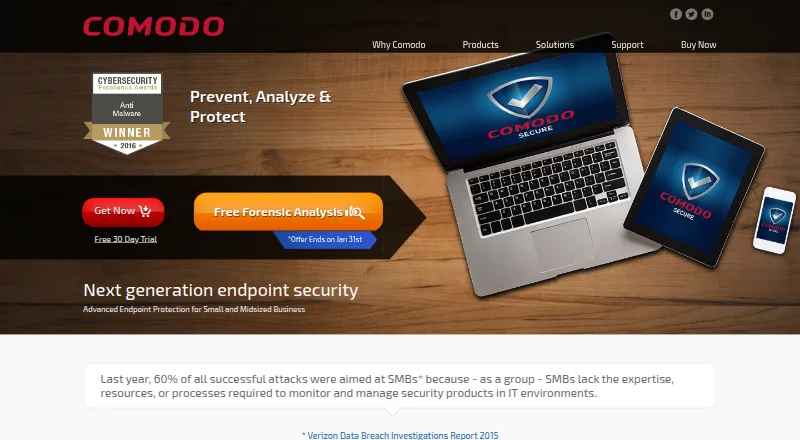
What Comodo Advanced Endpoint Protection is
Comodo Advanced Endpoint Protection (AEP) is endpoint security software designed to protect devices from known and unknown malware. It combines antivirus, host intrusion prevention, file reputation checks, and automatic containment. When an unknown file is encountered, AEP runs it in a virtual container while it is analyzed. Valkyrie uses static and dynamic analysis on unknown files and typically returns a verdict within 45 seconds. VirusScope examines unknown processes and executables using behavioral and action-based analysis. Comodo Host Firewall protects against inbound and outbound threats, and the product page says signatures update automatically without interruption. AEP is presented for small and medium businesses and lists support for Android, iOS, Linux, macOS, web, and Windows. EDR and MDR are add-on modules that can be paired with AEP. A free trial signup is available. The pricing page does not publish a price and instead directs customers to request a customized quote. Support is listed by email and phone.
Good
- Automatically contains unknown files for analysis.
- Valkyrie typically returns file verdicts within 45 seconds.
- Includes behavioral analysis of unknown processes.
- Signatures update automatically without interruption.
- Free trial signup is available.
Watch out
- No public price is listed.
- EDR and MDR are add-on modules.
- Paid pricing requires a customized quote.
Who it suits
AEP suits small and medium businesses seeking endpoint protection for servers, desktops, laptops, or mobile devices. It may suit organizations that want unknown files contained during analysis.
Verdict
AEP combines file containment, behavioral analysis, antivirus, and firewall protection across several listed platforms. Buyers should expect to request a quote, and EDR and MDR are separate add-ons.
Plans and prices
From Comodo Advanced Endpoint Protection's own pricing page, checked 21 Oct 2026.
| Plan | Price | What it gives you |
|---|---|---|
| Free Forever | Free | 10 user licenses · registration required · renewed annually |
| SME Premium | $4 a year | more than 200 devices requires contacting Comodo · yearly |
| AEP annual license (5–15 users) | $18 a year | sold in packs of 5 · 2- or 3-year terms available · per user annually |
| SME Premium | $39 a month | more than 200 devices requires contacting Comodo · monthly |
| Basic subscription | Priced on request | endpoint protection subscription |
| Comodo Advanced Endpoint Protection | Priced on request | Custom quote · secures servers, desktops, laptops, and mobile devices |
| Premium subscription | Priced on request | professional services and enterprise support |
The facts
Each one read from Comodo Advanced Endpoint Protection's own pages, with the date it was checked.
What it does
- Automatic containment
- Unknown files are automatically run in a virtual container while they are analyzed.checked 29 Sep 2026
- Behavior analysis
- VirusScope monitors process behavior locally to identify harmful actions.checked 21 Oct 2026
- Cloud updates
- The product page says signatures are updated automatically without interruption.checked 29 Sep 2026
- Comodo ONE API
- Comodo publishes OAuth2-style authentication and service-desk APIs for Comodo ONE using client credentials and resource-owner credentials.checked 21 Oct 2026
- Default-deny containment
- Unknown executables are virtualized in a container so users can run them while the host system is shielded.checked 21 Oct 2026
- Deployment
- Installations support Active Directory, workgroup or IP discovery push deployment and packaged EXE, MSI, DMG and DEB pull installers.checked 21 Oct 2026
- Documentation
- Comodo's help center provides AEP administration guides, endpoint-management procedures and integration guides.checked 21 Oct 2026
- Endpoint administration
- The ESM console exposes endpoint processes, services, applications, files, logs and operational metrics for remote administration.checked 21 Oct 2026
- File analysis
- Valkyrie performs static and dynamic analysis of unknown files, typically returning a verdict within 45 seconds.checked 29 Sep 2026
- Fileless malware protection
- The feature set includes protection against malware that has no file to execute.checked 21 Oct 2026
- Firewall
- The host firewall monitors inbound and outbound endpoint traffic.checked 21 Oct 2026
- Hosting
- The central server can run on-premises, in a private cloud or in a public cloud environment.checked 21 Oct 2026
- Human analysis
- Comodo advertises 24-hour expert analysis for threats that automated engines cannot verdict.checked 21 Oct 2026
- Integrations
- The management product supports Active Directory and existing Microsoft SQL Server or embedded SQL Express databases.checked 21 Oct 2026
- Intended customers
- The product page presents AEP for small and medium businesses.checked 29 Sep 2026
- Licence
- The product is distributed through commercial subscriptions and licence keys; the opened product pages identify no open-source licence.checked 21 Oct 2026
- Limit: client stability
- TrustRadius reviewers report client-update complications and cases where lockdown problems required local uninstall and reinstall.checked 21 Oct 2026
- Notable news
- Comodo announced on February 1, 2017 that Gartner placed it in the Endpoint Protection Platform Magic Quadrant.checked 21 Oct 2026
- Policy controls
- Administrators can centrally apply policies, resource thresholds, power settings and removable-device restrictions.checked 21 Oct 2026
The company
- Company facts
- Comodo's fact sheet identifies Comodo Security Solutions, Inc. as a private company established in 1998 with more than 600 employees.checked 21 Oct 2026
- Headquarters
- The company lists its US headquarters at 200 Broadacres Drive, Bloomfield, New Jersey.checked 21 Oct 2026
Where it runs
- Limit: Android app
- Google Play reviewers report subscription-recognition failures and say a download scanner is missing.checked 21 Oct 2026
- Limit: iOS app
- Apple reviewers report crashes during identity-protection setup, broken VPN or safe-browsing functions and unavailable advertised features.checked 21 Oct 2026
Money
- Limit: billing and support
- Trustpilot complaints frequently mention auto-renewal, refund difficulties, hidden subscription charges and unresponsive support.checked 21 Oct 2026
The full review of Comodo Advanced Endpoint Protection
Comodo Advanced Endpoint Protection (AEP) is business endpoint security for organizations looking to protect devices from known and unknown malware. It suits small and medium businesses that want containment and behavioral defenses alongside antivirus and firewall protection. Its layered approach is compelling, but custom pricing makes it harder to compare costs up front.
Overview
AEP is built around containing unfamiliar files while assessing them, rather than relying on a signature verdict before allowing them to run. That can help reduce exposure to new threats, while the combination of antivirus, host intrusion prevention, file reputation checks, and a host firewall covers several layers of endpoint defense. The trade-off is that buyers must request a quote to establish the cost.
Key features
- Automatic containment: Unknown files run in a virtual container during analysis. This limits their access while they are assessed, a useful safeguard when a file has no established reputation.
- Valkyrie file analysis: Static and dynamic analysis typically returns a verdict within 45 seconds. That gives administrators a relatively quick assessment, though the stated turnaround is typical rather than guaranteed.
- VirusScope behavior analysis: Unknown processes and executables are evaluated through their behavior and actions, adding a way to assess threats that may evade signature-based detection.
- Layered prevention and firewall: Antivirus, host intrusion prevention, file reputation checks, and automatic containment work alongside Comodo Host Firewall, which protects against inbound and outbound threats.
- Central management and controls: AEP includes a central management console, behavioral protection, exploit blocking, device control, and server protection. These capabilities make it relevant to organizations managing more than individual desktop devices.
- Automatic cloud updates: Signatures update automatically without interruption, reducing the need for manual update management.
- Optional EDR and MDR: Both are add-on modules, not part of the core AEP plan. Buyers who need either should factor that separation into their evaluation and quote request.
Pricing
AEP is paid software with custom pricing. The vendor asks customers to request a customized quote; the named Comodo Advanced Endpoint Protection plan covers servers, desktops, laptops, and mobile devices. A pricing note gives a starting point of $4/mo (annual), but the pricing page itself does not publish a price, so buyers should confirm the applicable quote and terms rather than assume that figure covers their deployment.
A free trial is available through signup, with a stated 30-day trial. There is no free plan. Email support is available at [email protected] and phone support at 973-396-1235.
Platforms
AEP supports Android, iOS, Linux, macOS, Windows, and web. The named plan is intended to secure servers, desktops, laptops, and mobile devices, giving it a broad endpoint scope across common business systems.
Who it's for
AEP is best suited to small and medium businesses that want unknown-file containment, behavior-based analysis, and centralized endpoint management in one product. Its server and mobile-device coverage may suit mixed fleets. It is a weaker fit for buyers who need transparent per-seat pricing before contacting sales, or who want EDR or MDR included in the base plan.
Pros and cons
Pros
- Unknown-file containment: Files run in a virtual container while they are analyzed, reducing the risk of letting an unfamiliar file operate without safeguards.
- Multiple analysis methods: Valkyrie and VirusScope bring static, dynamic, and behavioral analysis to file and process assessment.
- Broad endpoint scope: The plan covers servers, desktops, laptops, and mobile devices, with support for Android, iOS, Linux, macOS, and Windows.
- Useful administrative controls: Central management, exploit blocking, device control, and server protection extend the product beyond basic antivirus.
Cons
- Custom pricing complicates comparisons: The vendor requires a quote, so buyers cannot readily compare a confirmed plan price before engaging.
- EDR and MDR cost extra: Organizations seeking those capabilities need to consider separate add-ons rather than treating them as included protection.
- No free tier: The 30-day trial provides a limited evaluation window, but there is no ongoing free option.
Alternatives
For a broader comparison, see Business Antivirus Software and Endpoint Protection Platforms.
- Microsoft Defender for Business is a better fit for teams that want a published annual price: its plan is $3 a month, billed yearly, for up to 300 users and up to five devices per user.
- Kaspersky Endpoint Security for Business is an alternative for organizations seeking endpoint coverage across Windows, Linux, Mac, Android, and iOS, with EDR offered as an add-on.
- Dr.Web Enterprise Security Suite is worth considering if a quote based on the number of protected stations, including servers, better matches how your deployment is sized.
- G DATA Endpoint Protection is another paid business endpoint option with dedicated management.
- Seqrite Endpoint Protection Cloud may suit buyers comparing plans that include antivirus, anti-ransomware, firewall, web filtering, and vulnerability scanning.
- Trend Micro Worry-Free Services is another paid option supporting Android, iOS, macOS, and Windows.
- Heimdal Security has paid plans including home options billed yearly for three PCs, which may suit readers comparing individual rather than business endpoint coverage.
- Sophos Endpoint is another paid endpoint protection option for Linux, macOS, web, and Windows.
Verdict
Choose Comodo AEP if your business prioritizes containing and analyzing unknown files, and wants behavioral defenses, a firewall, and centralized controls across servers and user devices. Its layered prevention is the main reason to consider it; custom pricing and separately priced EDR and MDR are the main reasons to compare alternatives before committing.
Alternatives to Comodo Advanced Endpoint Protection
- 1
Heimdal Security
Free planAndroidWebAPILinux8.1From $44.96 a year - 2

PC Matic
AndroidiOSWebAPI7.9From $30 a year - 3

FortiClient
Free planAndroidiOSLinuxmacOS7.8Free plan - 4
Microsoft Defender for Business
AndroidiOSAPImacOS7.5 - 5

Seqrite Endpoint Protection Cloud
WebAPIExtensionLinux7.0 - 6

Dr.Web Enterprise Security Suite
AndroidiOSLinuxmacOS6.9