
CLO 3D
CLO 3D is fashion design software for creating garments and visualizing them in 3D.
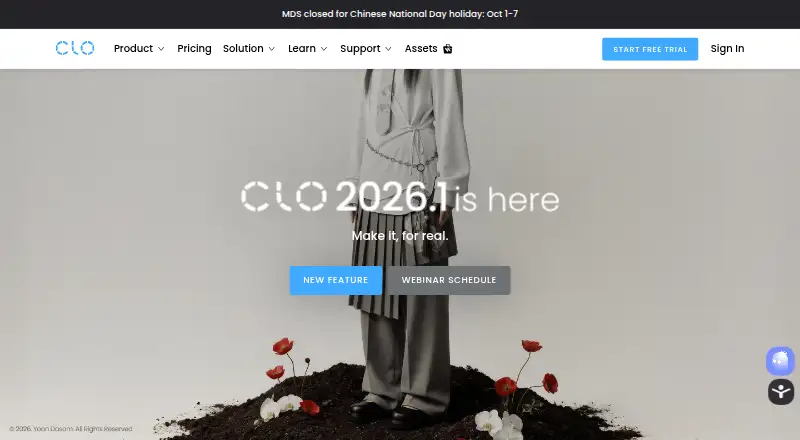
What CLO 3D is
CLO 3D is fashion design software for creating garments and visualizing them in 3D. In Simulation mode, users can edit patterns in a 2D window while draping garments or changing poses in 3D. Print Layout mode supports arranging patterns on prints, calculating fabric consumption, and preparing printable layouts. The software includes a V-Ray renderer; GPU-accelerated rendering through Metal is supported on Apple Silicon Macs starting with CLO v2025.0. The 2026.0 Pattern Information window displays pattern details and lets users view and switch between revisions. File support includes importing and exporting FBX and OBJ, as well as DXF-AAMA pattern files. CLO also lists DXF-ASTM and Standard DXF among export formats. It runs on macOS and Windows, with minimum requirements including macOS Sonoma 14 or Windows 11 64-bit, 16 GB memory, and 10 GB of SSD space. A 14-day trial is listed, but there is no free plan. Individual pricing is $50 a month or $450 a year; student pricing is $25 a month or $225 a year.
Good
- Combines 2D pattern editing with 3D garment simulation
- Print layouts calculate fabric consumption
- Includes V-Ray rendering
- Supports FBX, OBJ, and DXF-AAMA files
Watch out
- No free plan
- Does not support iOS, Android, Linux, or ChromeOS
- Requires at least 16 GB memory and 10 GB SSD space
- Individual license excludes legal entities with two or more employees
Who it suits
CLO 3D suits garment designers who need 2D pattern work alongside 3D draping and visualization. Its listed individual plans are for individual users, including students, freelancers, and one-person business owners.
Verdict
CLO 3D combines pattern work, garment simulation, and print layout in one fashion-design tool. Check the listed system requirements and license limits, and note that pricing starts at $50 a month for the Individual plan.
Plans and prices
From CLO 3D's own pricing page, checked 21 Sep 2026.
| Plan | Price | What it gives you |
|---|---|---|
| Student | — | Students |
| Individual | — | Hobbyist · Freelancer · Self-employed Individual · One-person Company |
| Enterprise | — | Live demos · Tailored implementation · Customized onboarding and training · Dedicated 3D specialist · Corporate direct support · Digital transformation consulting |
| Academic | — | Online tutorials · CLO Manual · Community forums · Customer service · Faculty education · CLO-SET CONNECT |
| CLO student discount — monthly | $25 a month | 50% discount from the Individual plan; student discount · Monthly |
| CLO for Individuals — monthly | $50 a month | Individual users only; students, freelancers, and one-person business owners · Monthly |
| CLO student discount — yearly | $225 a year | 50% discount from the Individual plan; student discount · Yearly |
| CLO for Individuals — yearly | $450 a year | Individual users only; students, freelancers, and one-person business owners · Yearly |
| CLO for Business | Priced on request | For small to large-scale businesses · Customized quotation |
| CLO for Academic | Priced on request | For academic institutions · Customized quotation |
The facts
Each one read from CLO 3D's own pages, with the date it was checked.
What it does
- 2D and 3D workflow
- Simulation mode supports editing patterns in a 2D window and draping garments or editing poses in a 3D window.checked 29 Sep 2026
- API plugins
- CLO API lets users develop and add customized features to CLO, with plugins registered from DLL or DYLIB files.checked 29 Sep 2026
- File compatibility
- CLO supports importing and exporting FBX and OBJ files and supports DXF-AAMA pattern files for import and export.checked 29 Sep 2026
- Integrations
- CLO's 2026.0 SHIMA SEIKI APEXFiz plugin maps APEXFiz parts to CLO pattern pieces and applies associated materials and PBR textures when part names match exactly.checked 29 Sep 2026
- License restriction
- CLO for Individuals is limited to individual users; legal entities with two or more employees are prohibited from using that license.checked 29 Sep 2026
- Pattern revisions
- The 2026.0 Pattern Information window displays pattern details and lets users view and switch between revisions.checked 29 Sep 2026
- Print layout
- Print Layout mode lets users place patterns on prints, calculate fabric consumption, and create printable pattern layouts.checked 29 Sep 2026
- Purpose
- CLO is 3D fashion design software for garment design and visualization.checked 29 Sep 2026
- Rendering
- CLO includes a V-Ray renderer, and GPU-accelerated V-Ray rendering via Metal is supported on Apple Silicon Macs starting with CLO v2025.0.checked 29 Sep 2026
- Security information
- CLO's opened pages describe website cookies and cookie consent but do not state a security certification or compliance standard for the CLO software.checked 29 Sep 2026
- Shared account
- A CLO-SET account can be used to access CLO Virtual Fashion products including CLO, Marvelous Designer, CONNECT, and CLO-SET.checked 29 Sep 2026
- Support
- CLO provides general support for account and billing matters and technical support through an AI chatbot, and it offers a user community and Discord.checked 29 Sep 2026
- System requirements
- The listed minimum requirements include Windows 11 64-bit or macOS Sonoma 14, 16 GB memory, and 10 GB of SSD space.checked 29 Sep 2026
- Unsupported systems
- CLO does not support iOS, Android, Linux, ChromeOS, or Windows Mobile.checked 29 Sep 2026
Money
- Free plan
- Nochecked 21 Sep 2026
The company
- Headquarters
- Seoul, South Koreachecked 23 Sep 2026
The full review of CLO 3D
Overview
CLO 3D is fashion-design software for building garments from patterns and visualizing them in 3D. It is best suited to designers and teams whose work spans garment development and production layouts; its breadth is a strength, but the individual license is deliberately narrow.
The key advantage is a connected 2D-and-3D workflow: pattern edits can be considered alongside the garment’s drape and pose. That makes CLO a more complete fit for apparel development than a tool focused only on drawing or visualization.
Key features
Pattern work and garment simulation
Simulation mode pairs pattern editing in a 2D window with garment draping and pose editing in 3D. This lets designers move between the flat construction and its simulated form rather than treating them as separate tasks. CLO also supports size grading, textile design tools, and tech pack creation, covering several practical stages of garment development.
Print layout and rendering
Print Layout mode places patterns on prints, calculates fabric consumption, and creates printable pattern layouts. That makes CLO useful beyond visual presentation, particularly when pattern placement and material use matter. Its V-Ray renderer adds rendering to the same environment; Apple Silicon Macs support GPU-accelerated V-Ray rendering through Metal starting with CLO v2025.0.
Revisions, files, and extensions
The Pattern Information window in CLO 2026.0 displays pattern details and allows users to view and switch between revisions, a practical aid when designs evolve. CLO imports and exports FBX, OBJ, and DXF-AAMA pattern files; its export formats also include DXF-ASTM and Standard DXF.
The 2026.0 SHIMA SEIKI APEXFiz plugin maps APEXFiz parts to CLO pattern pieces and applies associated materials and PBR textures when part names match exactly. That exact-name condition makes consistent naming important. CLO API plugins let developers add customized features, with plugins registered from DLL or DYLIB files. A CLO-SET account can provide access to CLO, Marvelous Designer, CONNECT, and CLO-SET.
Pricing
CLO offers a 14-day trial and no free plan. The monthly Individual plan is $50 a month; the yearly plan is $450 a year. Both are for individual users, including students, freelancers, and one-person business owners. The yearly term costs less than paying the monthly rate for a full year, but committing annually may not suit someone still evaluating the software.
Student discounts are $25 a month or $225 a year, each described as a 50% discount from the Individual plan. Students looking for the lower price should consider these options. The Student plan itself has no published price.
CLO for Business and CLO for Academic use customized quotations, for small to large-scale businesses and academic institutions respectively. The Enterprise plan emphasizes live demos, tailored implementation, customized onboarding and training, a dedicated 3D specialist, corporate direct support, and digital transformation consulting. The Academic plan includes online tutorials, the CLO Manual, community forums, customer service, faculty education, and CLO-SET CONNECT. These plans suit organizations or educational users better than an individual license, but their prices are custom pricing.
The Individuals license is limited to individual users: legal entities with two or more employees are prohibited from using it. That restriction is consequential for even a small company. CLO provides account and billing support, technical support through an AI chatbot, a user community, and Discord.
Platforms
CLO runs on macOS and Windows. Minimum requirements include Windows 11 64-bit or macOS Sonoma 14, 16 GB of memory, and 10 GB of SSD space. It does not support iOS, Android, Linux, ChromeOS, or Windows Mobile, so it is not an option for mobile-first or Linux-based workflows.
Who it's for
CLO is a strong fit for fashion designers, freelancers, and one-person businesses that need both 2D pattern work and 3D garment simulation, especially when print layout, grading, or tech packs are part of the job. Businesses with two or more employees should look to the business license rather than the individual plan. Those needing a free tier, an unsupported operating system, or only a narrower garment-design task should consider alternatives.
Pros and cons
- Pros: The 2D pattern and 3D simulation workflow connects construction with garment visualization.
- Pros: Print layout includes fabric-consumption calculation and printable layouts, supporting production-oriented work as well as design.
- Pros: Pattern revision tools, common 3D exchange formats, and API plugins give designers ways to manage revisions and extend workflows.
- Cons: There is no free plan, and the trial lasts 14 days, so ongoing use requires a paid license.
- Cons: The Individual license excludes legal entities with two or more employees, limiting its suitability for growing teams.
- Cons: The minimum requirements and OS restrictions rule out older or unsupported systems and mobile devices.
Alternatives
For a wider comparison, browse Fashion Design Software or 3D modeling software.
- Browzwear VStitcher is another paid option, with a free plan and a Freelancer plan at $75 a month for one user and one site, newest version only, AWS hosting, and community support.
- garment.dev is worth considering for a web-based workflow with a free Hobby plan capped at two patterns, one tech pack, one moodboard, 720p export, one marker, 14 days of history, 50 checkpoints, and one editor.
- Style3D Studio is a paid Windows and macOS option with a free plan.
- Optitex is a paid option for Windows users.
- Tailornova is a web-based alternative; its Personal plan costs $29 a month for personal use and includes monthly download quotas.
- Valentina is a free option for Linux, macOS, and Windows; its Free plan provides source access and community support but no current binaries, manual, or developer support.
- TUKA3D is a paid Windows alternative with a free trial and substantial stated hardware requirements, including 32GB DDR5 RAM or more and an Nvidia RTX 5060 or better.
- PAD System is another paid option, with a Basic plan at $15 a year and pattern grading.
Verdict
Choose CLO if your work needs the combination of pattern editing, simulated garments, and print layout in one fashion-design tool. Its broad workflow is the main reason to pay for it; the trial and individual plans make sense for solo users, but teams must use a business option, and anyone needing a free plan or unsupported platform should look elsewhere.
Alternatives to CLO 3D
- 1

Browzwear VStitcher
Free planAPImacOSSelf-hostedWindows7.5From $750 a year - 2
PatternMaker
Free planWindows7.2$110 one-time - 3
Valentina
Free planLinuxmacOSWindows6.9From €82.57 a year - 4

garment.dev
Free planWeb6.7From $16.20 a month - 5
Marvelous Designer
LinuxmacOSWindows6.7From $8.25 a month - 6
PAD System
WebLinuxmacOSWindows6.6From $15 a year