CineColor LUT Library
CineColor LUT Library gives editors and photographers access to a catalog of color lookup tables for individual download.
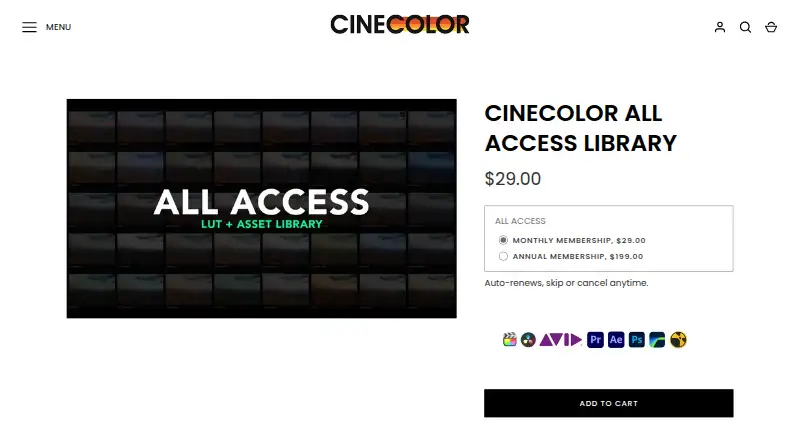
What CineColor LUT Library is
CineColor LUT Library gives editors and photographers access to a catalog of color lookup tables for individual download. Its preview tool lets users upload a still frame, select a camera color space, and compare LUTs against Log or Rec.709 reference footage. Camera-specific packs cover profiles including Sony S-Log3, Blackmagic Film, Canon C-Log, Arri Alexa, Panasonic/Lumix V-Log, Fuji F-Log, Apple Log, Apple Log2, and iPhone; universal creative LUTs are described as suitable for footage from virtually any camera. Packs include .cube files for video work and .xmp files for Adobe Lightroom. Listed host software includes Adobe Premiere Pro, Final Cut Pro, DaVinci Resolve, Avid Media Composer, and LumaFusion; the setup guide also covers Photoshop and Lightroom. The maker says the LUTs can fit color-managed workflows such as ACES and custom CST setups, and compatible cameras or monitors can use them for on-set previews. Creative looks do not convert Log footage to Rec.709, so a base grade is recommended first. A free plan is available, with full-catalog subscriptions at $29.00 per month or $199.00 per year; both auto-renew.
Good
- Offers a free plan.
- Preview LUTs against an uploaded still frame.
- Includes .cube and .xmp file formats.
- Supports camera-specific profiles and universal creative LUTs.
- Compatible with ACES and custom CST workflows, according to the maker.
Watch out
- Creative looks do not convert Log footage to Rec.709.
- Monthly and yearly subscriptions auto-renew.
Who it suits
The library suits video editors and photographers seeking downloadable LUTs for supported camera profiles and editing software. Its preview tool can help users compare looks against their own reference frame.
Verdict
CineColor LUT Library combines a large LUT catalog with frame previews and camera-profile options. Log footage needs a base grade before applying creative looks, and full-catalog access is a recurring subscription.
Plans and prices
From CineColor LUT Library's own pricing page, checked 3 Oct 2026.
| Plan | Price | What it gives you |
|---|---|---|
| CINECOLOR ALL ACCESS LIBRARY — monthly | $29 a month | Full catalog access · unlimited downloads · new releases added · Deliver every month, $29.00; auto-renews, skip or cancel anytime. |
| CINECOLOR ALL ACCESS LIBRARY — yearly | $199 a year | Full catalog access · unlimited downloads · new releases added · Deliver every year, $199.00; auto-renews, skip or cancel anytime. |
The facts
Each one read from CineColor LUT Library's own pages, with the date it was checked.
What it does
- Camera compatibility
- Camera-specific packs correspond to recording profiles such as Sony S-Log3, Blackmagic Film, or Canon C-Log, while universal creative LUTs are described as compatible with footage from virtually any camera.checked 3 Oct 2026
- Color spaces
- The library lets users preview LUTs with a reference frame in Log or Rec.709 by selecting the camera’s color space.checked 3 Oct 2026
- Downloads and accounts
- The FAQ says downloads are available immediately after purchase; it also says accounts are for monthly members and one-off buyers should email support to reissue old download links.checked 3 Oct 2026
- Editing software
- The maker names Adobe Premiere, Apple FCP X, DaVinci Resolve, Avid Media Composer, Photoshop, and Lightroom as software covered by its setup guide.checked 3 Oct 2026
- File formats
- LUT packs include .cube files for video post-production and .xmp files that can be loaded into Adobe Lightroom.checked 3 Oct 2026
- Log footage limitation
- Creative looks are not intended to convert Log footage to Rec.709, and the maker recommends creating a base grade before applying them to Log footage.checked 3 Oct 2026
- LUT preview
- Users can upload a still frame and preview it against thousands of LUTs to find a color palette.checked 3 Oct 2026
- New releases
- The product page says new looks are added to the library when released and describes downloads as unlimited.checked 3 Oct 2026
- On-set use
- The maker says LUTs can be loaded into compatible cinema cameras or onboard monitors for real-time previews on set.checked 3 Oct 2026
- Privacy
- The privacy policy says the site is operated by Creative Rebellion, Inc., names Shopify, Klaviyo, Google Analytics, and Meta as data-sharing partners, and states that personal data is not sold or rented.checked 3 Oct 2026
- Product
- CINECOLOR ALL ACCESS LIBRARY provides access to the maker’s LUT catalog for individual download.checked 3 Oct 2026
- Refunds
- For digital purchases, the maker describes a 100% money-back guarantee requestable within seven days with an order number and before-and-after screenshots; it lists technical compatibility, inaccurate advertised results, and supported-software performance issues as valid reasons.checked 3 Oct 2026
- Support
- The contact page says the team aims to respond to questions within 24 hours, while the FAQ says refund requests receive a response within two business days.checked 3 Oct 2026
- Workflow compatibility
- The maker says its LUTs are color-management friendly and can be used in most professional pipelines, including ACES and custom CST workflows.checked 3 Oct 2026
Alternatives to CineColor LUT Library
- 1
iReelz Cinematic LUTs
Free planWeb7.3From $11.99 a month - 2

Canon LUT Library
Free planWebLinuxmacOSWindows7.1Free plan - 3
LUTify.me
AndroidiOSWebLinux6.7From $59 a year - 4
Rocket Rooster LUTs
Free planmacOSWindows6.7$8.50 one-time - 5

Color Grading Central LUTs
Free planmacOSWindows6.6From $99 a year - 6
IWLTBAP LUTs
AndroidiOSWebmacOS6.6$25 one-time