Child Screen Time
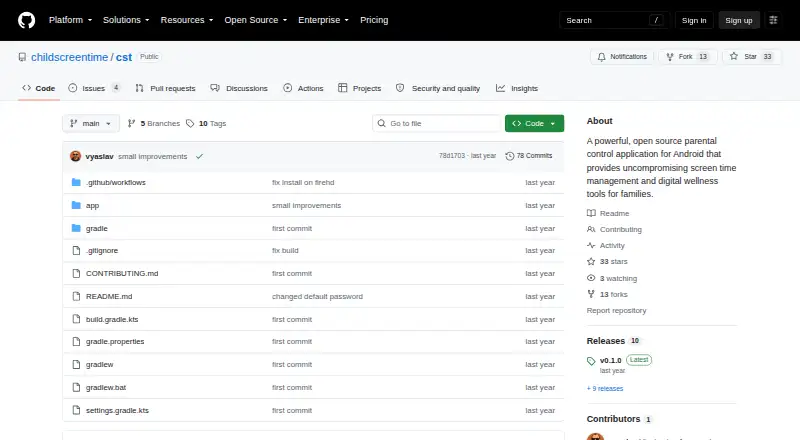
The facts below are what the maker publishes about Child Screen Time, checked and dated. Our editors have not written about it yet.
The facts
Each one read from Child Screen Time's own pages, with the date it was checked.
What it does
- Activity reports
- Yeschecked 22 Sep 2026
- Admin access
- Settings are password-protected, and the README lists 3443 as the default admin password and advises changing it for production deployments.checked 12 Oct 2026
- Background monitoring
- The project describes foreground-service monitoring and WorkManager integration for background resilience.checked 12 Oct 2026
- Data transparency
- The README describes the project as open source and says it has no hidden data collection.checked 12 Oct 2026
- Default admin password
- The README lists 3443 as the default admin password and advises changing it for production deployments.checked 12 Oct 2026
- Distribution
- The README says automated releases deploy to GitHub Releases and the Amazon Appstore.checked 12 Oct 2026
- Installation
- The README describes cloning the repository, building with Gradle, and installing the resulting APK with adb.checked 12 Oct 2026
- License
- The project says it is licensed under the MIT License.checked 12 Oct 2026
- Media control
- The app can automatically pause videos, games, and music.checked 12 Oct 2026
- Media controls
- The app can automatically pause videos, games, and music.checked 12 Oct 2026
- Product
- Child Screen Time describes itself as an open-source parental control app for Android for screen-time management and digital wellness.checked 12 Oct 2026
- Purpose
- Child Screen Time describes itself as an open-source parental control app for Android that provides screen-time management and digital-wellness tools for families.checked 12 Oct 2026
- Requirements
- The app requires Android 9.0 (API 28) or higher and Usage Access permission to function.checked 12 Oct 2026
- Screen blocking
- The app creates a fullscreen overlay that it says cannot be bypassed when time limits are reached.checked 12 Oct 2026
- Security and privacy
- The README describes the project as open source, with transparency and no hidden data collection, and says it uses device-administrator features for tamper resistance.checked 12 Oct 2026
- Setup requirement
- Usage Access permission is required for the app to function; the README says the app exits if that permission is denied.checked 12 Oct 2026
- Support
- The README directs users to GitHub Issues, Discussions, and the project wiki for support.checked 12 Oct 2026
- Time allowances
- Families can configure daily time allowances and extension credits, including 1-minute and 5-minute options.checked 12 Oct 2026
- Usage tracking
- The README describes real-time usage monitoring with minute-by-minute accuracy.checked 12 Oct 2026
Where it runs
- Android requirement
- The project lists Android 9.0 (API level 28) or higher as a prerequisite.checked 12 Oct 2026
- Device platforms
- androidchecked 22 Sep 2026
Alternatives to Child Screen Time
- 1
Kaspersky Safe Kids
Free planAndroidiOSWebmacOS8.8From $14.99 a year - 2

Qustodio
Free planAndroidiOSmacOSWindows8.6From $72.94 a year - 3

MMGuardian
AndroidiOSWebmacOS8.3From $59.90 a year - 4

OurPact
Free planAndroidiOS8.2From $69.99 a year - 5

Mobicip
AndroidiOSmacOSWindows8.0From $2.99 a month - 6

FamilyTime
AndroidiOSmacOSWindows8.0From $2.41 a month