Castream
Castream is a video streaming platform for broadcasting mobile or desktop streams to multiple destinations at once.
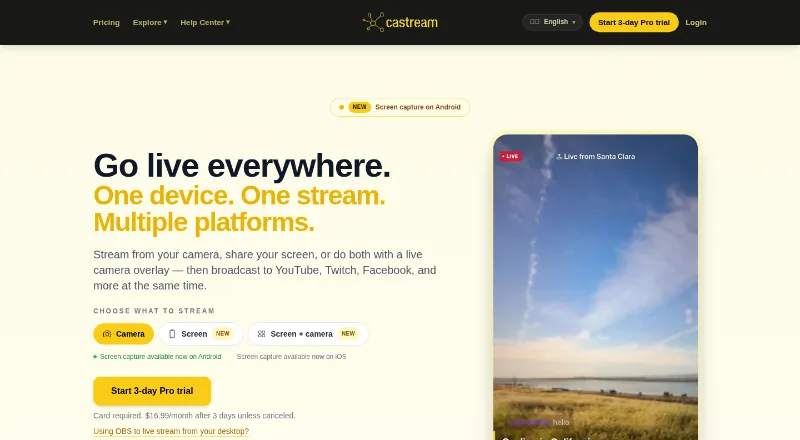
What Castream is
Castream is a video streaming platform for broadcasting mobile or desktop streams to multiple destinations at once. It supports YouTube, Twitch, Facebook, Facebook Pages, TikTok, Instagram, LinkedIn, and custom RTMP destinations. YouTube, Twitch, and Facebook can be connected with OAuth; other listed destinations use an RTMP URL and stream key. Streamers can see and answer chats from connected platforms in one inbox, and add chat overlays, lower thirds, live badges, or custom text.
The iOS and Android apps support screen capture; Android also supports a camera overlay over a shared screen. Desktop users can send streams from OBS Studio or other RTMP-compatible software for redistribution. Castream says it records streams automatically for review, download, sharing, or replay. AI tools generate titles and descriptions, analyze audience sentiment, and suggest content. The free plan is limited to five-minute sessions and includes a watermark. It allows two simultaneous destinations. Creator costs $9.99 a month, and Pro costs $16.99 a month. Castream is available on Android, iOS, and the web.
Good
- Streams can reach listed social and custom RTMP destinations.
- Connected platform chats appear in one inbox.
- Mobile apps support screen capture on iOS and Android.
- Automatic recordings can be reviewed, downloaded, shared, or replayed.
Watch out
- Free sessions are limited to five minutes.
- Free streams include a Castream watermark.
- The free plan allows two simultaneous destinations.
Who it suits
Castream may suit churches, gamers, musicians, fitness coaches, and solo creators who want to stream to several platforms. Its mobile screen capture and desktop RTMP redistribution offer different ways to send a broadcast.
Verdict
Castream combines multi-destination streaming with unified chat, overlays, recordings, and AI tools. The free tier has short sessions and a watermark; paid plans start at $9.99 a month.
Plans and prices
From Castream's own pricing page, checked 15 Oct 2026.
| Plan | Price | What it gives you |
|---|---|---|
| Free | Free | 2 simultaneous destinations · 720p at 1.2 Mbps mobile · 5-minute sessions · Castream watermark · OBS/RTMP · multiplatform chat and operator mode |
| Creator | $9.99 a month | 3 simultaneous destinations · 720p at 2.5 Mbps · unlimited session length · AI Chat Insights · live overlays · monthly |
| Pro | $16.99 a month | 5 simultaneous destinations · 1080p at 6 Mbps · custom support · advanced analytics · monthly |
The facts
Each one read from Castream's own pages, with the date it was checked.
What it does
- AI tools
- Castream offers AI-generated titles and descriptions, audience sentiment analysis, chat insights, and content suggestions.checked 15 Oct 2026
- API extensibility
- Business APIs include chat fan-in/fan-out, sentiment analytics, moderation triggers, audit logging, and health-status webhooks.checked 15 Oct 2026
- Audio capture
- Android screen streams can include device audio, microphone audio, or both.checked 15 Oct 2026
- Chat operator mode
- A separate operator can moderate and reply to stream chat while the broadcaster focuses on content.checked 15 Oct 2026
- Connection methods
- YouTube, Twitch, and Facebook support OAuth, while TikTok, Instagram, X, LinkedIn, and custom destinations can be connected using an RTMP URL and stream key.checked 29 Sep 2026
- Custom RTMP setup
- A custom destination requires an RTMP server URL and stream key, which are saved for later broadcasts.checked 15 Oct 2026
- Desktop streaming
- Users can send a stream from OBS Studio or other RTMP-compatible software to Castream for redistribution to connected destinations.checked 29 Sep 2026
- Desktop workflow
- OBS Studio or another RTMP-compatible encoder can send a desktop stream to Castream for relay to connected destinations.checked 15 Oct 2026
- Destinations
- It supports YouTube, Twitch, Facebook, Facebook Pages, TikTok, Instagram, LinkedIn, and custom RTMP destinations.checked 29 Sep 2026
- Documentation
- The help center contains guides for account creation, custom RTMP, scheduling, unified chat, AI tools, prerecorded broadcasts, previews, and profiles.checked 15 Oct 2026
- Enterprise API
- Castream advertises REST/GraphQL APIs and webhooks for destination, key, and session management.checked 15 Oct 2026
- Founder-described limitations
- The founder’s launch article said competing tools often required desktop setups, imposed payment before testing, added lag or watermarks, lacked platform support, or crashed on Android.checked 15 Oct 2026
- Founder statement
- Alfonso Cabral wrote that he built Castream to solve mobile multistreaming problems and described himself as its founder.checked 15 Oct 2026
- Google Play privacy disclosure
- Google Play says the app may share personal and financial information with third parties, reports encryption in transit, and offers a data-deletion request.checked 15 Oct 2026
- Google Play reach
- The Google Play listing shows at least 1K downloads.checked 15 Oct 2026
- Intended users
- Castream identifies churches, gamers, musicians, fitness coaches, and solo creators among the groups that use the service.checked 29 Sep 2026
- Licence
- The terms state that Castream’s service, original content, features, and functionality remain the exclusive property of Castream and its licensors.checked 15 Oct 2026
- Limit: early crash
- That App Store reviewer reported the first version crashed before a newer version improved the experience.checked 15 Oct 2026
- Mobile streaming
- The service provides native camera streaming on iOS and Android.checked 15 Oct 2026
- Multistream destinations
- Supported destinations include YouTube, Twitch, Facebook, TikTok, Instagram, LinkedIn, Castream profiles, and custom RTMP endpoints.checked 15 Oct 2026
Where it runs
- App availability signal
- AppBrain reports the Android app was removed from Google Play on June 28, 2026, with version 4.0.1 as its last listed version.checked 15 Oct 2026
Money
- Free plan limit
- The free plan includes a Castream watermark and limits sessions to five minutes each.checked 29 Sep 2026
The company
- Headquarters
- The Google Play developer address is 23 Forest Glen St, Mountain View, California 94043-2915, United States.checked 15 Oct 2026
- Legal maker
- Google Play identifies the developer as PIK TECHNOLOGIES LLC.checked 15 Oct 2026
The full review of Castream
Castream is a multistreaming service for sending mobile or desktop broadcasts to several destinations at once. It best suits creators and organizations that want distribution, chat, and recordings in one workflow. Its breadth is useful, but the free plan’s five-minute sessions make it a poor fit for ongoing broadcasts.
Overview
Castream routes a single stream to YouTube, Twitch, Facebook, Facebook Pages, TikTok, Instagram, LinkedIn, or custom RTMP destinations. YouTube, Twitch, and Facebook support OAuth connections; TikTok, Instagram, X, LinkedIn, and custom destinations use an RTMP URL and stream key. The range is broad, though RTMP setup asks for more configuration than signing in.
Mobile users can capture their screens on iOS and Android; Android also supports a live camera overlay over a shared screen. Desktop broadcasters can send output from OBS Studio or other RTMP-compatible software to Castream for redistribution. Automatic recordings can be reviewed, downloaded, shared, or replayed from the dashboard, which gives streamers a useful follow-up to live distribution.
Key features
Chat, presentation, and AI tools
A unified inbox lets streamers view and respond to chat from connected platforms. Live chat overlays, lower thirds, live badges, and custom text help keep audience interaction and on-screen presentation in the same workflow. AI tools generate titles and descriptions, analyze audience sentiment, and suggest content. These extras make Castream more than a destination relay, although creators who only need redistribution may not need the added layer.
Mobile and desktop streaming
Screen capture on both mobile platforms gives phone-based creators a way to share app activity, while Android’s camera overlay adds a face-to-face element. Desktop users can keep their existing OBS or RTMP-compatible setup and use Castream to send it onward. The plan limits on destinations and video quality still matter: the service is better suited to creators comfortable with its stated 720p Creator tier or 1080p Pro tier than those seeking higher resolutions.
Pricing
Castream has a free plan, a 3-day trial, and paid plans starting at $9.99 a month. The Free plan costs nothing and allows two simultaneous destinations, 720p at 1.2 Mbps on mobile or 720p at 2 Mbps on desktop, sessions up to five minutes, and a Castream watermark. That is enough for brief tests, not regular services or creator broadcasts.
Creator costs $9.99 a month, billed $9.99 / month or $99.99 / year. It raises the limit to three simultaneous destinations, offers 720p at 2.5 Mbps on mobile or 720p at 4 Mbps on desktop, and removes the session-time limit with priority ingestion. It is the sensible step up for a solo creator who streams regularly to a small set of services and can work within 720p.
Pro costs $16.99 a month, billed $16.99 / month or $169.99 / year. It supports five simultaneous destinations at 1080p and 6 Mbps, with priority support. Choose it when five outlets, higher resolution, or priority help justify the added monthly cost; those who need only three destinations and 720p can stay on Creator.
Platforms
Castream is available on Android, iOS, and the web. Mobile screen capture works on both mobile platforms, while the camera overlay over shared screen is an Android feature. Desktop streaming is supported through OBS Studio or other RTMP-compatible software.
Who it's for
Castream identifies churches, gamers, musicians, fitness coaches, and solo creators as users. It is a strong fit when one broadcast needs to reach several platforms and the operator also wants unified chat and recordings. Churches can consider it for multistreaming and sermon archiving; creators who need longer sessions must move beyond Free. For a one-destination workflow, its multistreaming allowance may be more than necessary.
Pros and cons
- Broad destination support: YouTube, Twitch, Facebook, TikTok, Instagram, LinkedIn, and custom RTMP options cover varied audiences in one workflow.
- Useful interaction tools: Unified chat, overlays, and recordings keep audience response and post-stream access alongside distribution.
- Free plan is sharply limited: Five-minute sessions and a watermark make it a trial option rather than a practical regular-streaming tier.
- Creator remains 720p: The cheaper paid plan removes time limits but not the resolution ceiling; 1080p requires Pro.
- Some destinations need manual connection details: RTMP URL and stream key setup is less direct than OAuth sign-in.
Alternatives
Restream is worth considering for a broader platform footprint, including Linux, macOS, and Windows, or if its free plan’s two channels and six hours recorded per stream suit the workflow better.
Vimeo is a better candidate when video hosting is central: its free plan includes one seat and 1 GB storage, while Starter provides one user, 2 TB storage, and 2 TB monthly bandwidth for $12 a month.
OneStream Live may fit scheduled broadcasts better: its free plan supports two destinations, 720p, one team seat, 1 GB storage, and three scheduled events.
Subsplash Church App is another church-focused option, with a free Subsplash Giving plan; card and ACH processing fees apply.
Church Online Platform is the alternative to consider when a church needs unlimited services and attenders, hosts, admins, chat, and prayers on a free service.
Livepush may suit web-only broadcasters who want up to 10 platforms at once and 20 streaming hours per month on its free plan.
BlizCast Radio & TV is another option for church communities, with a free Grace plan for up to 50 members and a pastor as sole admin.
BoxCast is a paid alternative with a free trial, for teams comparing dedicated streaming plans.
For a wider church-software comparison, see Church Streaming Software.
Verdict
Castream is a good choice for creators, churches, and other groups that want one mobile or desktop stream distributed to several destinations with chat, overlays, and recordings in the same service. Its strongest case is the combined workflow and the step from three destinations on Creator to five at 1080p on Pro. Look elsewhere if the free tier must support real broadcasts, or if a regular 1080p stream needs to cost less than Pro.
Getting started
- Open Castream on the web or install its iOS or Android app
- Create an account and choose Free, Creator, or Pro
- Connect YouTube, Twitch, or Facebook with OAuth
- Connect other destinations with an RTMP URL and stream key
- Start a mobile broadcast or send video from OBS Studio or compatible RTMP software
- Add chat, lower-third, badge, or custom-text overlays
- Review, download, share, or replay the automatic recording from the dashboard
Limits worth knowing
The Free plan costs nothing, allows two simultaneous destinations, uses listed 720p bitrates, limits sessions to five minutes, and adds a watermark. The cheapest paid plan, Creator at $9.99 a month, allows three destinations and unlimited streaming time.
Questions
Is Castream free?
Yes. The Free plan costs nothing and includes two simultaneous destinations, listed 720p mobile and desktop bitrates, five-minute sessions, and a watermark.
How much do the paid plans cost?
Creator costs $9.99 a month, billed at $9.99 monthly or $99.99 yearly. Pro costs $16.99 a month, billed at $16.99 monthly or $169.99 yearly.
Which streaming destinations are supported?
Castream supports YouTube, Twitch, Facebook, Facebook Pages, TikTok, Instagram, LinkedIn, and custom RTMP destinations.
Can I stream from OBS Studio?
Yes. Castream accepts streams from OBS Studio and other RTMP-compatible software for redistribution to connected destinations.
Does Castream combine audience chats?
Yes. Chats from connected platforms appear in one inbox where streamers can view and respond.
Are streams recorded?
Castream says it automatically records streams for later review, download, sharing, or replay from the dashboard.
Alternatives to Castream
- 1

Restream
Free planAndroidiOSWebAPI8.4From $19 a month - 2

Vimeo
Free planAndroidiOSWebAPI8.4From $12 a month - 3

StreamYard On-Air
Free planiOSWebExtension8.0From $35.99 a month - 4

BoxCast
AndroidiOSWebAPI7.9From $8.25 a month - 5
OneStream Live
Free planAndroidiOSWebExtension7.8From $15 a month - 6

ChurchSpring Live Streaming
AndroidiOSWeb7.6