
CallSign
CallSign is group chat with AI for gaming and hanging out with friends over voice, video, or text.
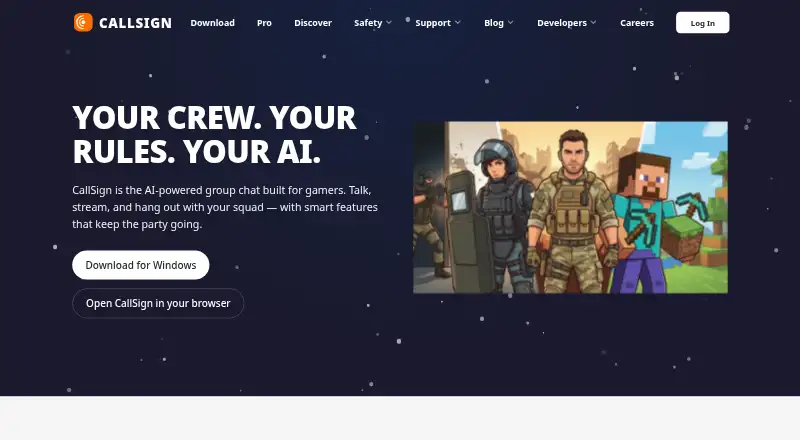
What CallSign is
CallSign is group chat with AI for gaming and hanging out with friends over voice, video, or text. Its Free plan includes servers, channels, direct messages, and voice channels, along with a basic AI assistant and what the service calls “Always-on safety.” File uploads are limited to 25 MB on Free, 50 MB on Pro Basic, and 500 MB on Pro. Screen sharing is listed at 720p, 1080p, and 4K/60fps across those plans, respectively. Pro includes an AI assistant, summaries, voice transcription, semantic search across messages, animated avatars, and custom profile themes. Pro Basic and Pro include custom emoji and stickers. CallSign has mobile apps for Android and iOS, and is also available on web, Windows, macOS, and Linux. Free costs nothing; Pro Basic is $2.99 a month or 29.99 USD yearly, and Pro is $19.99 a month or 199.99 USD yearly. PlayStation and Xbox availability is listed as coming soon. A Public Test Build is available for trying features before launch and reporting bugs.
Good
- Free plan includes servers, channels, direct messages, and voice.
- Available on mobile, desktop, and web.
- Pro includes voice transcription and semantic search.
- Screen sharing reaches 4K/60fps on Pro.
- Free plan includes what CallSign calls “Always-on safety.”
Watch out
- Free uploads are limited to 25 MB.
- Free screen sharing is listed at 720p.
- PlayStation and Xbox are coming soon.
- Pro costs $19.99 a month.
Who it suits
CallSign suits friends looking for group chat across voice, video, and text, including gaming groups. The Free plan offers basic chat and voice channels, while paid plans add higher upload and streaming limits and AI features.
Verdict
CallSign provides free group chat with voice channels and offers paid tiers with larger upload limits, higher screen-sharing resolution, and additional AI tools. Console availability is listed as coming soon.
Plans and prices
From CallSign's own pricing page, checked 3 Oct 2026.
| Plan | Price | What it gives you |
|---|---|---|
| Free | Free | 25 MB file uploads · Basic AI assistant · voice channels · servers, channels, DMs · forever |
| Pro Basic | $2.99 a month | 50 MB file uploads · limited AI assistant · custom emoji anywhere · custom stickers · per month / $29.99 yearly |
| Pro | $19.99 a month | 500 MB file uploads · unlimited AI assistant · voice transcription · 4K/60fps streaming · 2 free Server Boosts · per month / $199.99 yearly |
The facts
Each one read from CallSign's own pages, with the date it was checked.
What it does
- AI
- The Pro page lists an AI assistant, summaries, voice transcription, and semantic search across messages.checked 3 Oct 2026
- Communication
- CallSign offers servers, channels, direct messages, and voice channels on its Free plan.checked 3 Oct 2026
- Console availability
- The download page lists PlayStation and Xbox as coming soon.checked 3 Oct 2026
- Customization
- Pro includes animated avatars and custom profile themes; custom emoji and stickers are included with Pro Basic and Pro.checked 3 Oct 2026
- File uploads
- The listed upload limits are 25 MB on Free, 50 MB on Pro Basic, and 500 MB on Pro.checked 3 Oct 2026
- Mobile
- The download page links to the App Store and Google Play for mobile apps.checked 3 Oct 2026
- Product
- CallSign describes itself as group chat with AI for gaming and hanging out with friends over voice, video, or text.checked 3 Oct 2026
- Safety
- The Free plan includes what the page calls “Always-on safety.”checked 3 Oct 2026
- Streaming
- Screen sharing is listed at 720p on Free, 1080p on Pro Basic, and 4K/60fps on Pro.checked 3 Oct 2026
- Subscriptions
- The Pro page says users can open CallSign and subscribe from User Settings.checked 3 Oct 2026
- Testing
- CallSign offers a Public Test Build for trying features before launch and helping report bugs.checked 3 Oct 2026
Where it runs
- Desktop and browser
- The download page lists macOS, Windows, Linux, and browser availability.checked 3 Oct 2026
The full review of CallSign
Overview
CallSign brings group communication and AI tools into one service for gaming groups and friends. It is most compelling for communities that want voice channels alongside searchable, summarized conversations; casual groups can use the free tier, while several of the more advanced tools sit behind a sizable Pro subscription.
Key features
On Free, groups get servers, channels, direct messages, voice channels, and a basic AI assistant. That is a useful foundation for organizing ongoing conversations without paying, though uploads stop at 25 MB and screen sharing at 720p. The plan also includes what CallSign calls “Always-on safety.”
Pro Basic raises uploads to 50 MB and screen sharing to 1080p, and adds custom emoji anywhere and custom stickers. Its AI assistant is limited, so this tier suits groups whose main priorities are better sharing and personalization—not full access to CallSign’s AI tools.
Pro expands the limits substantially: uploads reach 500 MB, screen sharing supports 4K/60fps, and the AI assistant is unlimited. It also includes voice transcription, summaries, semantic search across messages, animated avatars, custom profile themes, and two free Server Boosts. These features are most useful to active communities that generate conversations worth revisiting or regularly share large files and high-resolution gameplay. For a group that mainly needs live chat, the price jump from Pro Basic is difficult to justify.
CallSign also offers a Public Test Build for people who want to try features before launch and help report bugs. Subscriptions can be started from User Settings.
Pricing
- Free: free, billed forever. Includes a basic AI assistant, voice channels, servers, channels, direct messages, 25 MB uploads, and 720p screen sharing. It covers core group communication, but its upload and streaming limits are the lowest of the three tiers.
- Pro Basic: $2.99 a month, billed monthly, or $29.99 yearly. It adds 50 MB uploads, 1080p screen sharing, custom emoji anywhere, and custom stickers, with limited AI access. This is the practical upgrade for groups seeking higher sharing limits and customization without paying for Pro’s full AI and streaming package.
- Pro: $19.99 a month, billed monthly, or $199.99 yearly. It includes 500 MB uploads, unlimited AI assistant access, voice transcription, 4K/60fps streaming, and two free Server Boosts, along with summaries, semantic search, animated avatars, and custom profile themes. It is aimed at communities that will use those higher limits and tools regularly; otherwise, Pro Basic costs less while retaining the core chat features.
Platforms
CallSign supports web, Windows, macOS, Linux, iOS, and Android, with mobile apps linked through the App Store and Google Play. PlayStation and Xbox availability is coming soon.
Who it's for
CallSign is a strong fit for gaming groups and friend communities that want organized voice and text spaces, with AI assistance and better streaming options available as they grow. Free works for groups comfortable with 25 MB uploads and 720p sharing. Pro Basic fits those who want a moderate bump in both limits, while Pro makes sense chiefly for active communities that will use transcription, conversation summaries, semantic search, or 4K/60fps streaming. Groups looking only for straightforward voice chat may not get enough from the paid tiers to warrant their cost.
Pros and cons
- Pro: The free tier includes servers, channels, direct messages, and voice channels, so a group can organize ongoing chat without a subscription.
- Pro: Streaming quality scales across all three tiers, from 720p to 1080p to 4K/60fps, giving groups a clear upgrade path.
- Pro: Pro combines transcription, summaries, and semantic search with a larger upload limit, which is valuable for communities that revisit messages and share large files.
- Con: Pro costs substantially more than Pro Basic, so its advanced AI and 4K/60fps features need to matter regularly to justify the upgrade.
- Con: Free uploads are capped at 25 MB and screen sharing at 720p, limiting the plan for groups that frequently share larger files or want sharper streams.
Alternatives
Consider Discord if you want a freemium option with voice, video, and text chat, community servers, and browser, desktop, and mobile access on its free plan.
GameVox is an alternative for groups whose needs align with its free Standard Server limits: up to 100 members, five voice channels, eight text channels, 2 GB storage, and 500 MB per file.
SONIX may suit users looking for low-latency calls, AI noise cancellation, multi-user screen sharing, and up to 5 GB of storage per user on its free plan.
Lag is a free alternative with no per-seat pricing, plan tiers, or feature gates.
TeamSpeak offers a free-trial Communities option with no server hardware requirement and scalable slot options.
Bedrock Voice Chat is a free, self-hosted alternative with no seat count or per-player billing and multitrack recording included.
RaidCall offers a free plan with voice communication, server creation, and 720p 30fps screen sharing.
Sloga is another free alternative.
Browse more options in Game Voice Chat Software.
Verdict
CallSign is a good choice for gaming groups that want structured voice chat now and expect to make use of AI-assisted conversation tools or stronger streaming as their needs grow. Its free tier covers the essentials, and Pro Basic is a measured upgrade for sharing and customization. Look elsewhere—or stay on Free—if your group mainly needs basic chat: Pro’s steep price is best reserved for communities that will regularly use its advanced AI, larger uploads, or 4K/60fps streaming.
Getting started
- Open CallSign on the web or download it for Windows, macOS, Linux, Android, or iOS.
- Use the Free plan for servers, channels, direct messages, and voice channels.
- If you want a paid tier, open CallSign and subscribe from User Settings.
- Try the Public Test Build to access pre-launch features and report bugs.
Limits worth knowing
Free allows uploads up to 25 MB and screen sharing at 720p. Pro Basic allows uploads up to 50 MB and screen sharing at 1080p; Pro allows uploads up to 500 MB and screen sharing at 4K/60fps.
Questions
Is CallSign free?
Yes. The Free plan costs nothing.
What do Pro Basic and Pro cost?
Pro Basic is $2.99 a month or 29.99 USD yearly. Pro is $19.99 a month or 199.99 USD yearly.
Which platforms support CallSign?
CallSign supports web, Windows, macOS, Linux, iOS, and Android. PlayStation and Xbox are listed as coming soon.
What does Pro add?
The Pro page lists an AI assistant, summaries, voice transcription, and semantic search across messages. Pro also includes animated avatars, custom profile themes, 500 MB uploads, and 4K/60fps streaming.
How do I subscribe?
Users can open CallSign and subscribe from User Settings.
Can I try features before launch?
Yes. The Public Test Build is for trying features before launch and helping report bugs.
Alternatives to CallSign
- 1
SONIX
Free planAndroidiOSWebAPI8.0From €69.90 a year - 2

Discord
Free planAndroidiOSWebAPI7.8From $29.99 a year - 3

GameVox
Free planAndroidiOSWebAPI7.5From $2 a month - 4
Taverns
Free planAndroidiOSWebAPI7.4Free plan - 5

RaidCall
Free planAndroidiOSWebWindows7.3From 199 TRY a month - 6

GGBRO
Free planAndroidWebAPIWindows7.1Free plan