
Builderius
Builderius is a visual development environment for building WordPress sites and deploying projects as WordPress or static sites.
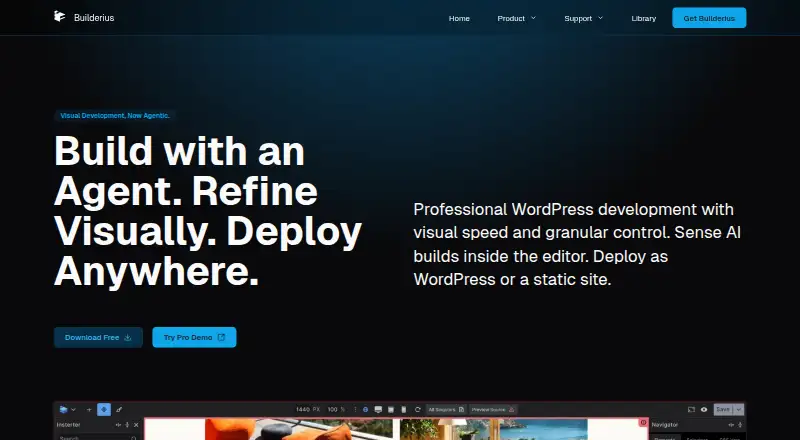
What Builderius is
Builderius is a visual development environment for building WordPress sites and deploying projects as WordPress or static sites. It combines visual CSS controls with code editing, CSS selectors and reusable CSS variables, while exposing HTML elements and attributes for custom structures. Dynamic content tools include GraphQL queries, snippets and an editor with autocomplete. For managing development work, Builderius offers private staging, named releases, version tracking, rollback, and release import and export. The feature comparison lists custom-field support for ACF and Meta Box; WooCommerce support is marked planned. The free Community version is installed through the WordPress admin plugin directory. Professional includes Sense AI, which connects an AI client to WordPress through MCP and requires a WordPress Application Password, Node.js 20 or newer, and an AI client. Builderius requires WordPress 6.0 or higher and PHP 8.2 or higher, and Safari is not supported for the builder interface. Community support is through WordPress.org forums and Facebook; Website tier and above receive priority ticket support. Builderius is based in Italy.
Good
- Deploys projects as WordPress or static sites
- GraphQL editor includes autocomplete
- Supports staging, rollback and release versioning
- Free Community version available
- Custom-field support for ACF and Meta Box
Watch out
- Requires WordPress 6.0 or higher
- Requires PHP 8.2 or higher
- Safari is unsupported for the builder interface
- WooCommerce support is marked planned
Who it suits
Builderius suits WordPress site developers who want a visual and code-oriented workflow with dynamic data tools and version controls. It may suit teams publishing either WordPress or static sites, provided they meet its system requirements and do not rely on Safari for the builder interface.
Verdict
Builderius offers a combination of visual controls, code editing and release management for WordPress development. Check its compatibility requirements and browser limitation before choosing it.
Plans and prices
From Builderius's own pricing page, checked 7 Oct 2026.
| Plan | Price | What it gives you |
|---|---|---|
| Community | Free | For hobby or personal projects · community support (wp.org & Facebook) · Free (forever) |
| Professional | $219, paid once | For multiple projects · unlimited sites · premium features and priority support · 30-day money-back guarantee · LTD (pay once) |
The facts
Each one read from Builderius's own pages, with the date it was checked.
What it does
- AI
- Professional includes Sense AI, which connects a user's AI client to WordPress through MCP and requires a WordPress Application Password.checked 7 Oct 2026
- AI client requirements
- Sense AI requires a Professional licence, Node.js 20 or newer, and an AI client; its documentation lists Claude, Cursor, VS Code, Windsurf, Codex, and other MCP clients.checked 7 Oct 2026
- Compatibility
- The product requires WordPress 6.0 or higher and PHP 8.2 or higher; Safari is not supported for the builder interface.checked 7 Oct 2026
- Development workflow
- Builderius supports private development staging, named releases, version tracking, rollback, and importing or exporting releases.checked 7 Oct 2026
- Dynamic content
- Yeschecked 22 Sep 2026
- Dynamic data
- Its dynamic data tools include GraphQL queries, snippets, and a GraphQL editor with autocomplete.checked 7 Oct 2026
- HTML control
- The builder exposes HTML elements and attributes for creating custom structures.checked 7 Oct 2026
- Installation
- The free Community version is installed through the WordPress admin plugin directory.checked 7 Oct 2026
- Integrations
- The feature comparison lists custom fields for ACF and Meta Box; WooCommerce support is marked planned.checked 7 Oct 2026
- Privacy and security
- The privacy policy says Paddle processes payment information, which Builderius says it cannot access, and describes appropriate technical and organizational data protection measures.checked 7 Oct 2026
- Product
- Builderius is a visual development environment for building WordPress sites and can deploy projects as WordPress or static sites.checked 7 Oct 2026
- Responsive controls
- Yeschecked 22 Sep 2026
- Static site limits
- Builderius says it imposes no limit on the number of pages generated for a static site; hosting server limits may apply.checked 7 Oct 2026
- Styling
- The styling workflow combines visual CSS controls, code editing, CSS selectors, and reusable CSS variables.checked 7 Oct 2026
- Support
- Community users receive support through WordPress.org forums and Facebook, while Website tier and above receive priority ticket support.checked 7 Oct 2026
- Theme builder
- Yeschecked 22 Sep 2026
- WooCommerce tools
- Nochecked 22 Sep 2026
Money
- Free plan
- Yeschecked 22 Sep 2026
The company
- Headquarters
- Italychecked 28 Sep 2026
Alternatives to Builderius
- 1
Oxygen
Free planOpen sourceWebAPILinuxmacOS8.8Free plan - 2
Pagelayer
Free planOpen sourceWebSelf-hosted8.2From $59 a year - 3

WPBakery Page Builder
Open sourceWebAPISelf-hosted8.1 - 4
Brizy AI
Free planWebAPISelf-hosted7.9From $60 a year - 5
Elementor
Free planOpen sourceWebAPISelf-hosted7.9Free plan - 6

Zion Builder
Free planWebSelf-hosted7.8From $39 a year