
Breme
Breme is a web workspace for creating images, video, audio, and editable SVG artwork.
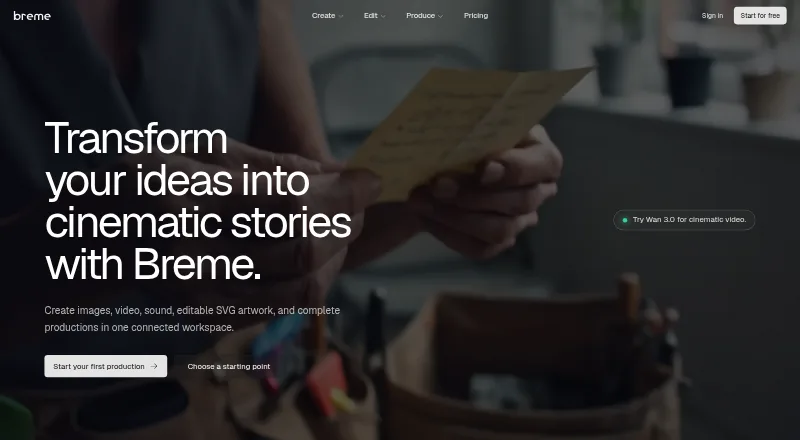
What Breme is
Breme is a web workspace for creating images, video, audio, and editable SVG artwork. It combines prompt-based generation with tools for editing images, extending or restyling video, and enhancing or balancing audio. For film and campaign preparation, users can draft or import a screenplay, organize characters, locations, and props, create editable shotlists, and generate storyboard frames. A production bible holds reusable creative elements so they can be carried through shots and scenes. The vector generator creates resolution-independent SVGs and supports text-to-vector generation and image-to-vector conversion. Video length and resolution depend on the selected model: supported clips range from 3–30 seconds and 480p–1080p, with 4K available through upscaling. Audio generation includes speech, music, effects, and voice cloning; listed limits include music tracks up to six minutes and long-form speech of about 25 minutes or 15,000 characters. Breme has a free plan and trial access, with paid plans from $10/mo billed annually. Content is private by default, but training use can depend on plan defaults and organization preferences. The service is for users aged 18 and older.
Good
- Creates image, video, and audio from prompts.
- Includes screenplay breakdown and storyboard tools.
- Generates editable SVG artwork from text or images.
- Free access is available without a card.
- Created content is private by default.
Watch out
- Service is limited to users aged 18 and older.
- Video duration and resolution depend on the model.
- Training use can depend on plan and organization preferences.
- Completed training exports have no creator-linked deletion mechanism.
Who it suits
Breme suits people making films, advertising, brand campaigns, photo edits, pre-production materials, or logos and vectors. Its screenplay and production-bible tools may appeal to creators who want planning and media generation in one web workspace.
Verdict
Breme combines media creation, editing, pre-production planning, and vector output in a web workspace. Review its model-dependent output limits and training preferences before choosing it for a workflow involving sensitive material.
The facts
Each one read from Breme's own pages, with the date it was checked.
What it does
- Age limit
- Breme says the service is for users aged 18 and older.checked 29 Sep 2026
- AI training
- Content may be used to train and improve Breme models depending on plan defaults and organization preferences; changing the preference affects content created afterward.checked 29 Sep 2026
- Audio features and limits
- Audio generation includes text-to-speech, music, sound effects, and voice cloning; the page lists music up to 6 minutes per track and long-form speech up to about 25 minutes or 15,000 characters.checked 28 Sep 2026
- Creation
- Users can generate images, video, and audio from prompts in one place.checked 29 Sep 2026
- Editing
- Image tools include relighting, inpainting, erasing, background removal, upscaling, and reframing.checked 29 Sep 2026
- Image, video, and audio creation
- Breme says users can generate images, footage, music, and sound from prompts in the same workspace.checked 28 Sep 2026
- Intended users
- The site presents Breme for filmmakers, advertisers, photo editors, pre-production teams, brand campaigns, and vector designers.checked 29 Sep 2026
- Model integrations
- Listed video models include Google Veo 3.1, Kling 3.0, Seedance 2.5, Luma Ray 3.2, Hailuo 3.0, and Grok Imagine; audio models include ElevenLabs v3, Gemini TTS, MiniMax Speech, and others.checked 28 Sep 2026
- Model providers
- The privacy policy lists OpenAI, Anthropic, Replicate, Unifically, and Cloudflare among providers processing or routing AI requests.checked 29 Sep 2026
- Pre-production
- Breme supports a workflow from screenplay writing or import through script breakdown, shot lists, storyboards, and shots.checked 29 Sep 2026
- Privacy and deletion limits
- The privacy policy says account deletion removes content from backend systems within 30 days subject to stated exceptions, while completed training exports have no creator-linked deletion mechanism.checked 28 Sep 2026
- Privacy and training
- Breme says created content is private by default on every plan; content may be used to train its models according to plan defaults and organization preference, and model providers are contractually prohibited from training on submitted content.checked 28 Sep 2026
- Private content
- The privacy policy says created content is stored privately on every plan and accessible to the user and their organization.checked 29 Sep 2026
- Product
- Breme is a connected workspace for creating images, video, sound, editable SVG artwork, and complete productions.checked 29 Sep 2026
- Production continuity
- A production bible lets creators reuse characters, locations, props, wardrobe, and looks across shots and scenes.checked 29 Sep 2026
- Security
- Breme says it uses encryption in transit, access controls, and database row-level security.checked 29 Sep 2026
- Support
- The privacy policy lists [email protected] for questions about the policy.checked 29 Sep 2026
- Vector artwork
- The vector generator creates editable, resolution-independent SVGs, with nine aspect-ratio presets and palettes of up to five preferred colors.checked 28 Sep 2026
- Video and audio editing
- Video tools include extending, reframing, restyling, and upscaling; audio tools include enhancement, denoising, and balancing.checked 29 Sep 2026
- Video limits
- Video generation supports model-dependent 3–30 second clips, 480p–1080p generation, and 4K via video upscale.checked 28 Sep 2026
Money
- Free access
- The homepage advertises an included free window with no card required.checked 29 Sep 2026
The company
- Headquarters
- Wilmington, Delaware, United Stateschecked 28 Sep 2026
Alternatives to Breme
- 1

Recraft
Free planAndroidiOSWebAPI8.2Free plan - 2

Wix Logo Maker
Free planAndroidiOSWebAPI8.2Free plan - 3

Clearly Logo Maker
Free planWebAPImacOSWindows7.8From $29 a month - 4

DaVinci AI Photo Restoration
AndroidiOSWeb7.7From $39.99 a month - 5

AnnoMotion
Free planWebAPIWindows7.6From £4.50 a month - 6

LOGO.com
Free planWebAPI7.6Free plan