Babel
Babel is a free JavaScript compiler that turns modern syntax into code suited to current and older browsers or other environments.
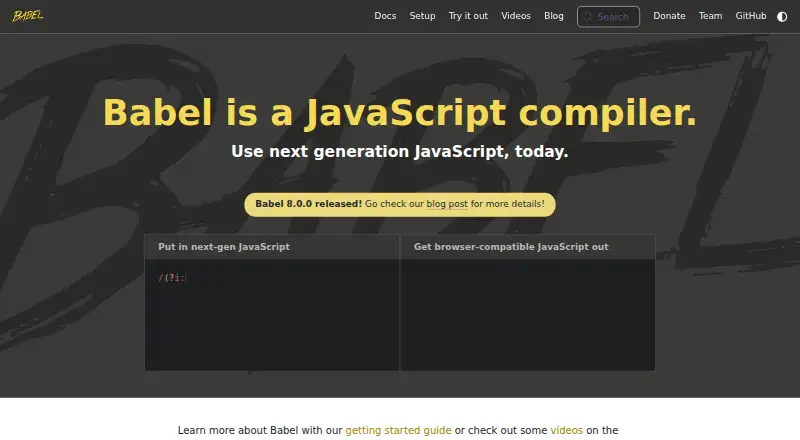
What Babel is
Babel is a free JavaScript compiler that turns modern syntax into code suited to current and older browsers or other environments. Its transformation tools include syntax conversion, codemods, and the option to add features through third-party polyfills such as core-js. Babel supplies transformers for the latest JavaScript and a React preset for JSX. It can remove Flow and TypeScript annotations, but it does not check types. Users can assemble transformation pipelines from plugins, combine them into presets, or write their own plugins. Source maps help debug compiled code. The command-line interface compiles files or directories, can watch for changes, and can generate source maps; installation documentation covers npm, Yarn, pnpm, and Bun. A standalone build also runs in browsers and other non-Node.js environments, including with scripts marked text/babel or text/jsx. For production, the documentation recommends transpiling ahead of time with a Node.js build system rather than using that standalone build. Babel is MIT-licensed, community-funded, and maintained by volunteers.
Good
- Free plan; no paid tiers or usage limits stated.
- Transforms modern JavaScript and JSX.
- CLI compiles files or directories and watches changes.
- Plugin pipelines can be combined into presets.
- Source maps support debugging compiled code.
Watch out
- Does not perform Flow or TypeScript type checking.
- Production guidance favors ahead-of-time Node.js builds over standalone use.
- Maintained by volunteers.
Who it suits
Babel suits JavaScript developers who need to transform modern syntax for different browsers or environments, or convert JSX. It may also suit teams that want configurable plugin pipelines and source maps.
Verdict
Babel offers configurable JavaScript transformations, JSX conversion, and a CLI, with a free plan. Keep its lack of type checking and production guidance for the standalone build in mind.
Plans and prices
From Babel's own pricing page, checked 29 Sep 2026.
| Plan | Price | What it gives you |
|---|---|---|
| Babel | Free | Community funded; no paid tiers or usage limits stated |
The facts
Each one read from Babel's own pages, with the date it was checked.
Where it runs
- Browser use
- The standalone build can run in browsers and other non-Node.js environments, including compiling scripts marked text/babel or text/jsx.checked 29 Sep 2026
What it does
- CLI
- The Babel CLI compiles files from the command line and supports compiling files or directories, watching for changes, and generating source maps.checked 29 Sep 2026
- Community and support
- Babel says it is maintained by volunteers and directs support questions to GitHub Discussions, Slack, Stack Overflow, or Bluesky.checked 29 Sep 2026
- Debugging
- Babel supports source maps for debugging compiled code.checked 29 Sep 2026
- Funding
- Babel says the project is funded by the community and invites users to contribute time or sponsor it.checked 29 Sep 2026
- JavaScript support
- Babel provides syntax transformers for the latest version of JavaScript.checked 29 Sep 2026
- License
- The Babel repository identifies its license as MIT.checked 29 Sep 2026
- Package managers
- The docs show installation with npm, Yarn, pnpm, or Bun.checked 29 Sep 2026
- Plugins
- Babel's transformation pipeline is built from plugins, which users can combine into presets or write themselves.checked 29 Sep 2026
- Production limitation
- The docs recommend using a Node.js build system to transpile ahead of time instead of using the standalone build in production.checked 29 Sep 2026
- React
- Babel can convert JSX syntax using its React preset.checked 29 Sep 2026
- Transforms
- Its toolchain can transform syntax, polyfill features through third-party polyfills such as core-js, and perform source code transformations called codemods.checked 29 Sep 2026
- Type annotations
- Babel can strip Flow and TypeScript type annotations, but it does not perform type checking.checked 29 Sep 2026
- What it does
- Babel compiles modern JavaScript into versions compatible with current and older browsers or environments.checked 29 Sep 2026
The full review of Babel
Overview
Babel is a JavaScript compiler for projects that need modern syntax adapted to current or older browsers and other environments. It is best suited to JavaScript developers who want control over how code is transformed. Its flexibility is a strength, but the browser-based standalone build is not the production path Babel recommends.
Key features
Babel’s plugin pipeline lets developers assemble presets or write plugins for project-specific transformations. It supports syntax from the latest JavaScript version and converts JSX with its React preset, making it useful when a project needs more than a fixed syntax conversion. That configurability also puts responsibility on developers to choose the transformations their target environments require.
It can strip Flow and TypeScript annotations, but it does not check types. Teams using either language therefore need a separate type checker; Babel’s role is to transform code, not validate it. It can also apply third-party polyfills such as core-js and run codemods that rewrite source code.
Source maps help relate compiled output to source code while debugging. The CLI can compile files or directories, watch for changes, and generate source maps. Installation instructions cover npm, Yarn, pnpm, and Bun. The standalone build can run in browsers and other non-Node.js environments, including scripts marked text/babel or text/jsx, but production projects should transpile ahead of time with a Node.js build system instead.
Babel is maintained by volunteers and directs support questions to GitHub Discussions, Slack, Stack Overflow, or Bluesky. The project is community-funded and invites contributions of time or sponsorship; its repository identifies the license as MIT.
Pricing
Babel has one free plan: Babel: free. The Community funded plan has no paid tiers or usage limits stated, and Babel offers no free trial because the plan is free. It is a straightforward fit for individuals and teams that want the compiler without a subscription; the trade-off is a volunteer-maintained project funded by its community.
Platforms
Babel is available for API, Linux, macOS, web, and Windows. Its CLI supports command-line compilation, while the standalone build supports browser use outside Node.js; for production, Babel recommends a Node.js build system.
Who it's for
Choose Babel if your JavaScript project needs configurable syntax transforms, JSX conversion, polyfills, or codemods, and you want a free toolchain with CLI support. It is not a complete substitute for a TypeScript or Flow checker, nor is its standalone browser build the right production deployment approach.
Pros and cons
- Pros: A plugin-based pipeline supports tailored transforms, latest JavaScript syntax, JSX, polyfills, and codemods.
- Pros: The CLI handles files or directories, watch mode, and source maps; the plan is free with no usage limits stated.
- Cons: Babel strips Flow and TypeScript annotations but does not perform type checking.
- Cons: Production use calls for ahead-of-time transpilation with a Node.js build system rather than the standalone build.
- Cons: The project is maintained by volunteers and depends on community funding.
Alternatives
For another free toolchain, consider SWC, an open-source Rust-based developer toolchain available across Android, API, Linux, macOS, web, and Windows. Kotlin/JS is a free Kotlin compiler target for JavaScript configured with the Kotlin Multiplatform Gradle plugin. Cython is freely available under the Apache 2.0 License and supports Linux, macOS, and Windows.
Google Web Toolkit is a free open-source option under Apache 2.0. ClojureScript is free open-source software under the Eclipse Public License 1.0. Transcrypt is free and open source under Apache 2.0. CoffeeScript is another free option, and Fable is a web-based alternative.
Browse the Code Transpilers category to compare more options.
Verdict
Babel is a strong choice for JavaScript developers who need configurable transformations, JSX support, and CLI compilation at no cost. Its main advantage is the breadth and flexibility of its plugin pipeline; look elsewhere if you need Babel itself to type-check code, or if you need a browser standalone build as your production compiler.
Getting started
- Open the Babel website
- Install Babel with npm, Yarn, pnpm, or Bun
- Build a transformation pipeline from plugins or presets
- Use the Babel CLI to compile files or directories
- Enable watching or source-map generation when needed
Limits worth knowing
Babel is free, with no paid tiers or usage limits stated. Its type-annotation handling strips Flow and TypeScript annotations but does not provide type checking, and production use of the standalone build is discouraged.
Questions
What platforms does Babel support?
Babel is available through API, Linux, macOS, web, and Windows contexts.
Does Babel have a free plan?
Yes. The Babel plan is free at no cost, with no paid tiers stated.
Can Babel convert JSX?
Yes. Its React preset converts JSX syntax.
Does Babel check TypeScript types?
No. Babel can strip Flow and TypeScript type annotations, but it does not perform type checking.
Is Babel open source?
The Babel repository identifies its license as MIT.
Can Babel run in a browser?
Yes. The standalone build runs in browsers and other non-Node.js environments, including text/babel and text/jsx scripts.
Alternatives to Babel
- 1
JSweet
Free planOpen sourceAndroidiOSWebAPI7.7Free plan - 2

SWC
Free planAndroidWebAPILinux7.1Free plan - 3
Transcrypt
Free planWebLinuxmacOSSelf-hosted6.7Free plan - 4
TypeScript Playground
Free planWeb6.6Free plan - 5
Google Web Toolkit
Free planWebExtensionLinuxmacOS6.5Free plan - 6
Haxelib
Free planAPILinuxmacOSWindows6.5Free plan