AyeSpy
AyeSpy is a self-hosted visual regression tool that checks web pages for visual changes.
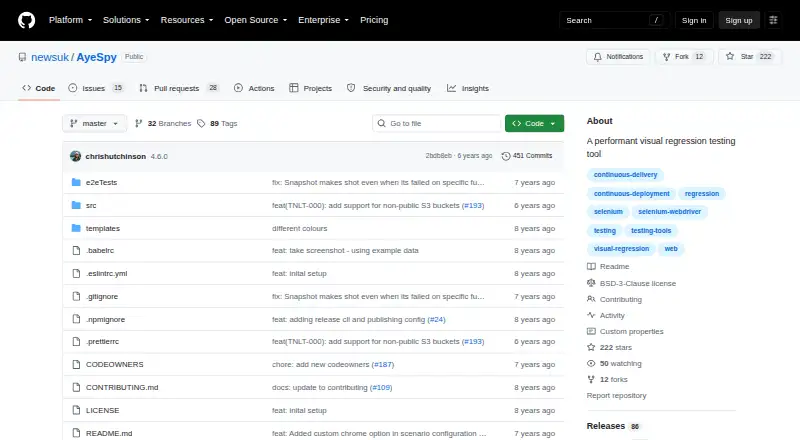
What AyeSpy is
AyeSpy is a self-hosted visual regression tool that checks web pages for visual changes. It captures screenshots and compares them with baseline images; differences fail the build and produce a report. The README lists Firefox and Chrome support, and Amazon S3 storage integration. It recommends Selenium Docker images for browser automation and provides an example using a Selenium Grid URL. Scenario settings can crop captures to a selector, hide or remove elements, wait for elements, set cookies, and run scripts before capture. The `--branch` option stores branch screenshots in a separate S3 subdirectory; the README recommends setting a lifecycle policy to remove them when they are no longer needed. Mobile emulation accepts a device name but works only with Chrome. The README says 40 comparisons can run in under a minute with the correct setup. AyeSpy is open source under a BSD 3-Clause license and is maintained by The Times Tooling team. It is most suited to loading a page and capturing it; complex journeys such as checkout flows reduce its value. Switching contexts to iFrames is not supported. The listed plan is free, with no paid plans or usage limits stated.
Good
- Screenshot differences fail builds and generate a report.
- Supports Firefox and Chrome.
- Scenario settings offer several capture controls.
- Screenshots can be stored through Amazon S3.
- Open source under a BSD 3-Clause license.
Watch out
- Switching contexts to iFrames is unsupported.
- Mobile emulation works only with Chrome.
- Complex journeys reduce its value.
Who it suits
AyeSpy suits teams that want self-hosted screenshot comparisons in a build workflow, especially for pages with straightforward loading and capture. It is less suited to complex setup journeys or pages that require iFrame context switching.
Verdict
AyeSpy focuses on screenshot-based checks and offers configurable capture scenarios for build workflows. Its stated limits around iFrames and complex journeys matter when choosing it for a site.
Plans and prices
From AyeSpy's own pricing page, checked 4 Oct 2026.
| Plan | Price | What it gives you |
|---|---|---|
| AyeSpy | Free | No paid plans or usage limits stated |
The facts
Each one read from AyeSpy's own pages, with the date it was checked.
What it does
- Best fit
- The README describes AyeSpy as most effective for loading a page and taking a screenshot, and says complex setup journeys such as checkout flows reduce that value.checked 4 Oct 2026
- Branch runs
- The `--branch` option stores branch screenshots in a separate S3 subdirectory, and the README recommends a lifecycle policy to delete them when finished.checked 4 Oct 2026
- How it works
- It takes new screenshots and compares them with baseline images; differences fail the build and generate a report.checked 4 Oct 2026
- Install
- The README gives `npm i -g aye-spy` as the package installation command.checked 4 Oct 2026
- License
- The repository displays a BSD 3-Clause license.checked 4 Oct 2026
- Limit
- The README says switching contexts to iFrames is not supported.checked 4 Oct 2026
- Maintainer
- The README says AyeSpy is brought to you by The Times Tooling team.checked 4 Oct 2026
- Mobile emulation
- The README says mobile emulation can be configured with a device name and currently works only with Chrome.checked 4 Oct 2026
- Performance
- The README says that, with the correct setup, 40 comparisons can run in under a minute.checked 4 Oct 2026
- Purpose
- AyeSpy is a high performance visual regression tool for catching UI regressions.checked 4 Oct 2026
- Screenshot controls
- Scenario settings can crop to a selector, remove or hide elements, wait for elements, set cookies, and run scripts before capture.checked 4 Oct 2026
- Storage integration
- The README says cloud storage is supported through Amazon S3.checked 4 Oct 2026
Where it runs
- Browser automation
- The README recommends Selenium Docker images and shows a Selenium Grid URL in its example configuration.checked 4 Oct 2026
- Browsers
- The README lists Firefox and Chrome as supported browsers.checked 4 Oct 2026
Alternatives to AyeSpy
- 1

Happo
Free planAndroidiOSWebAPI8.1From $149 a month - 2
Screenster
Free planWebAPISelf-hostedWindows7.6From $25 a month - 3

Percy
Free planAndroidiOSWeb7.5From $199 a month - 4

Loki
Free planAndroidiOSWebLinux7.3Free plan - 5
Roborazzi
Free planAndroidiOSLinuxmacOS7.2Free plan - 6

SmartUI
Free planAndroidiOSWebAPI7.2From $199 a month