Alternate File Shredder
Alternate File Shredder is a free Windows program for permanently deleting files and folders.
What Alternate File Shredder is
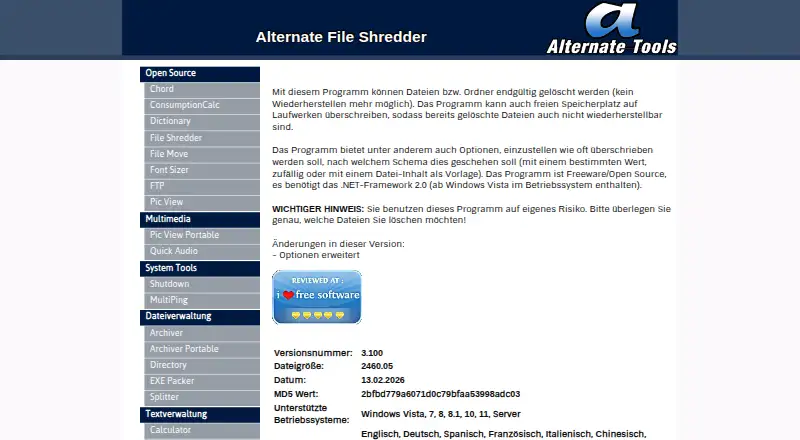
Alternate File Shredder is a free Windows program for permanently deleting files and folders. It can also overwrite a drive’s free space to make recovery of previously deleted items harder. For the overwrite template, users can choose a specific value, random values or the file’s content. The program is described by its maker as freeware and open source, and its listed Freeware plan costs nothing. It supports Windows Vista, 7, 8, 8.1, 10, 11 and Server, and requires .NET Framework 2.0; the maker says this framework has been included in Windows since Vista. The page lists 20 included languages, including English, German, Spanish, French, Chinese and Japanese. The listed version is 3.100, dated 13.02.2026. Alternate File Shredder does not offer drive wiping or scheduled shredding. Its maker advises users to take care when choosing files and says use is at the user’s own risk. A contact form is available for sending a message.
Good
- Freeware and open source.
- Can overwrite free space.
- Offers several overwrite templates.
- Includes 20 languages.
Watch out
- Does not wipe entire drives.
- No scheduled shredding option.
- Requires .NET Framework 2.0.
Who it suits
It suits Windows users who want to delete selected files or folders or overwrite free drive space. It is not intended for full-drive wiping or scheduled shredding.
Verdict
Alternate File Shredder focuses on file and folder deletion, with free-space overwriting as an additional option. Choose targets carefully, since the maker warns that users run the program at their own risk.
Plans and prices
From Alternate File Shredder's own pricing page, checked 14 Oct 2026.
| Plan | Price | What it gives you |
|---|---|---|
| Freeware | Free | Windows Vista, 7, 8, 8.1, 10, 11 and Server · .NET Framework 2.0 · 2.4 MB download |
The facts
Each one read from Alternate File Shredder's own pages, with the date it was checked.
What it does
- Activity log
- Softpedia says users can inspect logged activity information after shredding operations.checked 14 Oct 2026
- Adware and telemetry statement
- The maker says its programs do not install adware, alter browser settings, phone home automatically or inspect private user data.checked 14 Oct 2026
- Current listed version
- The page lists version 3.100, dated 13.02.2026.checked 2 Oct 2026
- Current version
- The official page lists version 3.100, dated 13 February 2026, with a 2,460.05 KB file size.checked 14 Oct 2026
- Deletion confirmations
- Softpedia reports an option to turn off deletion confirmation prompts.checked 14 Oct 2026
- Distribution rights
- The maker says its programs may be copied and shared freely but may not be sold or rented.checked 14 Oct 2026
- Drag-and-drop
- Softpedia describes adding files and folders to the task list by dragging them into the main window.checked 14 Oct 2026
- File and folder deletion
- The program permanently deletes files and folders so they cannot be recovered.checked 2 Oct 2026
- File-name shredding
- Softpedia reports that the application can overwrite file names as well as file contents.checked 14 Oct 2026
- Independent changelog detail
- Softpedia lists custom color support as a version 3.100 change.checked 14 Oct 2026
- Independent performance praise
- Softpedia’s reviewer reports no freezes, crashes or error messages and says CPU and memory use stayed low during testing.checked 14 Oct 2026
- Independent recovery test
- In Digital Citizen’s test, Recuva detected the 120 test files but could not recover any usable content after shredding.checked 14 Oct 2026
- Independent review praise
- Softpedia rates the application’s tested feature set as powerful and easy to use for securely deleting files and folders.checked 14 Oct 2026
- Independent usability praise
- Digital Citizen characterizes the interface as simple and friendly for deleting individual files and complete folders.checked 14 Oct 2026
- Languages
- The maker lists 20 included languages, spanning English, German, Spanish, French, Chinese, Japanese and 14 others.checked 14 Oct 2026
- Limit: erasure algorithms
- Digital Citizen reports that the tested version offered only random-data overwriting, although users could choose the number of passes.checked 14 Oct 2026
- MajorGeeks description
- MajorGeeks describes repeated overwriting and free-space wiping as intended to prevent recovery of deleted files.checked 14 Oct 2026
- MajorGeeks downloads
- MajorGeeks lists 93,956 downloads for the version 3.070 entry it hosts.checked 14 Oct 2026
- Open source
- The maker describes the program as freeware and open source.checked 2 Oct 2026
- Overwrite choices
- Users can overwrite with a chosen fixed value, random values or the contents of a file used as a template.checked 14 Oct 2026
Money
- Free space wiping
- It can overwrite a drive’s free space to prevent recovery of previously deleted files.checked 2 Oct 2026
The company
- Maker legal identity
- The imprint identifies the site owner as Christensen at Waechtersbacher Strasse 22, 63505 Langenselbold, Germany.checked 14 Oct 2026
- Maker location
- The imprint lists the site operator as Christensen at Waechtersbacher Str. 22, 63505 Langenselbold.checked 2 Oct 2026
- Maker scope
- The home page says Alternate Tools publishes alternative utility programs mainly for Windows as freeware or open source.checked 14 Oct 2026
Alternatives to Alternate File Shredder
- 1
Active@ KillDisk
Free planLinuxmacOSWindows7.6$64.95 one-time - 2

BitRaser File Eraser
Free planAPILinuxmacOSWindows7.4From $39.99 a year - 3
BleachBit
Free planOpen sourceLinuxmacOSWindows7.4Free plan - 4
HDShredder
Free planLinuxmacOSSelf-hostedWindows7.4€19.90 one-time - 5

R-Wipe & Clean
Free planmacOSWindows7.4$28.99 one-time - 6

D-Secure File Eraser
WebAPILinuxmacOS7.2From $40 a year