
Alphanomic Warehouse Workforce Management
Alphanomic Warehouse Workforce Management supports shift scheduling, attendance tracking, overtime management, and labour cost planning for distribution, ful…
What Alphanomic Warehouse Workforce Management is
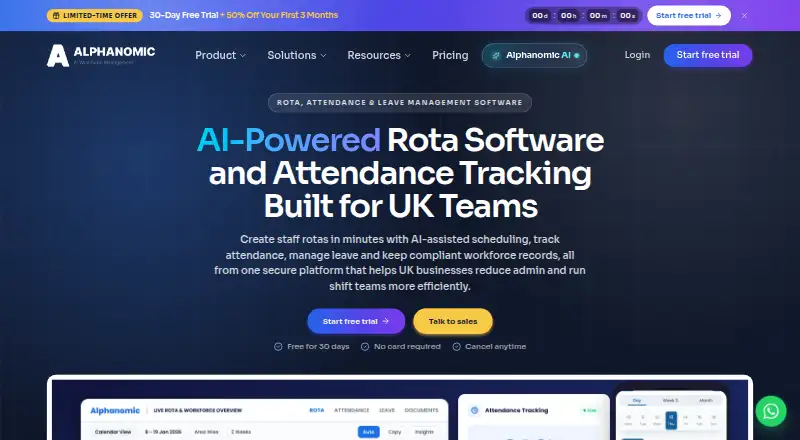
Alphanomic Warehouse Workforce Management supports shift scheduling, attendance tracking, overtime management, and labour cost planning for distribution, fulfilment, and logistics teams. Managers can plan morning, afternoon, night, and weekend shifts across picking, packing, dispatch, and support, with multi-warehouse visibility and reporting from a central platform. The service tracks clock-ins, overtime, scheduled hours, shift costs, and overtime risk. Employees can use the mobile app to view rotas, clock in or out, request leave, accept open shifts, and receive notifications. A kiosk can let workers clock in using a PIN or QR code. Other features include digital onboarding, expiry-dated FLT, PPE, and induction records, daily throughput notes, weekly shift reports, and facility-specific communication channels. Paid plans include unlimited employees, locations, and areas. Starter costs £4 a month, billed monthly; Pro is £6 a month, billed monthly; and Business is £9 a month, billed monthly. Paid plans include a 30-day trial with all features unlocked and no credit card required to start.
Good
- Supports scheduling across multiple warehouse shifts.
- Central platform provides multi-warehouse visibility.
- Employees can manage rotas and leave in the mobile app.
- Kiosk supports PIN or QR code clock-ins.
- Paid plans include a 30-day trial.
Watch out
- There is no free plan.
- Enterprise pricing is scoped in an agreement.
- External warehouse-system integrations are not named.
Who it suits
Alphanomic suits distribution, fulfilment, and logistics teams managing shifts, attendance, and labour across warehouses. Its mobile app and kiosk options may be useful for employees clocking in and managers coordinating rotas.
Verdict
Alphanomic covers scheduling, attendance, records, and operational communications for warehouse teams. Its paid plans start at £4 a month, billed monthly, with a 30-day trial.
Plans and prices
From Alphanomic Warehouse Workforce Management's own pricing page, checked 14 Oct 2026.
| Plan | Price | What it gives you |
|---|---|---|
| Starter | £4 a month | unlimited employees · unlimited locations · unlimited areas · ~20 core features · monthly; £2/seat/mo for first 3 paid months after 30-day trial |
| Pro | £6 a month | unlimited employees · unlimited locations · unlimited areas · ~50 features · AI included · monthly; £3/seat/mo for first 3 paid months after 30-day trial |
| Business | £9 a month | unlimited employees · unlimited locations · unlimited areas · 70+ features · AI included · up to 5 kiosk devices per location · monthly; £4.50/seat/mo for first 3 paid months after 30-day trial |
| Enterprise | Priced on request | unlimited employees · unlimited locations · unlimited areas · SSO · API access · SLA guarantees · dedicated customer success manager · monthly; custom agreement |
The facts
Each one read from Alphanomic Warehouse Workforce Management's own pages, with the date it was checked.
What it does
- AI assistant
- Alphanomic AI answers workforce questions and requires manager confirmation before actions are published.checked 14 Oct 2026
- API availability
- API access is listed as an Enterprise-only feature alongside SSO and SLA guarantees.checked 14 Oct 2026
- Attendance and labour
- The warehouse page describes tracking clock-ins and overtime and reviewing scheduled hours, shift cost, and overtime risk.checked 4 Oct 2026
- Attendance and overtime
- The warehouse module tracks clock-ins, overtime and attendance compliance for operational teams.checked 14 Oct 2026
- Communication
- The platform provides messaging, announcements, shift notifications and mobile collaboration for staff teams.checked 14 Oct 2026
- Daily logs
- Daily and weekly logbooks can capture operational notes, incidents, photos and searchable history.checked 14 Oct 2026
- Document centre
- The document module stores contracts, certificates and compliance files with expiry tracking and role-based access.checked 14 Oct 2026
- Google Play availability
- Google Play lists the app with 50+ downloads.checked 14 Oct 2026
- Integrations and API
- The pricing comparison lists SSO and API access as Enterprise features; it does not name external warehouse-system integrations on that page.checked 4 Oct 2026
- Licence
- The terms say Alphanomic owns the software, documentation, branding and website content, providing subscription or trial usage rights only.checked 14 Oct 2026
- Limit: mobile access model
- The App Store listing says organizations must create accounts and invite staff; the app does not support public sign-up.checked 14 Oct 2026
- Multi-warehouse control
- Managers can compare workforce activity and labour costs across warehouse locations from one account.checked 14 Oct 2026
- Multi-warehouse operations
- The product provides multi-warehouse coverage visibility and reporting from one account or central platform.checked 4 Oct 2026
- Onboarding
- Staff onboarding collects identity, right-to-work, contract and policy information digitally.checked 14 Oct 2026
- Operational logs
- The warehouse page describes daily throughput notes and weekly shift reports for items such as backlog, agency use, and incidents.checked 4 Oct 2026
Where it runs
- App developer
- Apple identifies JETANI BROTHERS UK LTD as the app provider, while Google Play identifies Namaste Village as the developer.checked 14 Oct 2026
- Apple platform requirements
- The iOS app requires iOS 16.6 or later; iPad requires iPadOS 16.6 or later; Apple-silicon Mac use requires macOS 13.5 or later.checked 14 Oct 2026
- Kiosk clock-in
- The warehouse page says a kiosk at the entrance can let workers clock in using a PIN or QR code.checked 4 Oct 2026
- Limit: Android security disclosure
- Google Play's developer-provided data-safety section says no data is collected or shared, but that data is not encrypted.checked 14 Oct 2026
- Mobile app
- Employees can view rotas, clock in and out, request leave, accept open shifts and receive notifications through the mobile app.checked 14 Oct 2026
The company
- Company headquarters
- LinkedIn lists the headquarters as Norwich, England, at Suite-1 Francis House, Queens Road, NR1 3PN.checked 14 Oct 2026
- Company size
- LinkedIn lists Alphanomic as a privately held human-resources software company with 2–10 employees.checked 14 Oct 2026
- Founded year
- LinkedIn lists Alphanomic as founded in 2024.checked 14 Oct 2026
Money
- Labour planning
- The product forecasts staffing costs and allocates workforce before rotas are published.checked 14 Oct 2026
The full review of Alphanomic Warehouse Workforce Management
Alphanomic Warehouse Workforce Management is a workforce platform for distribution, fulfilment and logistics operations. It is best for warehouse groups coordinating shifts, attendance and labour costs across multiple sites, especially when employees need mobile self-service. The paid-only model is straightforward, but advanced identity and integration controls are reserved for the top tier.
Overview
Managers can schedule morning, afternoon, night and weekend work across picking, packing, dispatch and support teams, then compare planned hours with clock-ins, shift cost and overtime exposure. That combination makes staffing decisions more financially informed than a rota-only tool. A central account provides visibility and reporting across multiple warehouses, useful for operators with several facilities.
The operational scope is broader than scheduling. Digital onboarding stores FLT, PPE and induction records with expiry dates, while daily notes and weekly shift reports can record throughput, backlog, agency usage and incidents. Facility-specific communication channels give teams a focused place for dock problems, cover requests and safety notes. The product does not name external warehouse-system integrations on its pricing comparison, so organisations expecting a prebuilt WMS connection should verify that requirement before choosing it.
Key features
- Mobile workforce tasks: The native app lets employees see rotas, clock in and out, request leave, accept open shifts and receive notifications. It suits dispersed teams that need to handle routine changes without a manager updating every record.
- Kiosk attendance: An entrance kiosk can accept a PIN or QR-code clock-in, giving sites a shared alternative to personal phones. Managers can then review attendance, scheduled hours and overtime risk in the same system.
- Labour planning: Productivity tracking, labour forecasting and overtime management support coverage and cost decisions. These controls are more relevant to warehouses measuring throughput and spend than to small teams needing only a basic timetable.
- Records and communications: Expiring qualification and safety records, operational logs and location-specific channels keep workforce administration alongside daily coordination. The result is useful operational context, although it adds value mainly when teams actively maintain those records.
- Security and access: Geo-fencing and IP restriction are attendance controls in Pro, Business and Enterprise. SSO and API access appear only in Enterprise, which may rule out the lower plans for organisations with stricter identity or automation requirements.
Pricing
All paid tiers include unlimited employees, locations and areas, and each starts with a 30-day trial that unlocks all features without requiring a credit card. Billing is monthly.
| Plan | Price | What it means |
|---|---|---|
| Starter | £4 a month | About 20 core features, with help docs and community support. It fits smaller operations that need the fundamentals, but excludes the broader feature set and AI in higher tiers. |
| Pro | £6 a month | About 50 features and AI, plus priority email support and geo-fencing/IP restriction. A sensible step up for growing sites needing stronger attendance controls without enterprise service. |
| Business | £9 a month | More than 70 features, AI, geo-fencing/IP restriction and dedicated email support. It suits multi-site operators that need a wider operational toolkit and more direct assistance. |
| Enterprise | Custom agreement | All features, dedicated customer success management, SSO and API access. Pricing is scoped in the agreement, so this is for organisations that require those controls rather than a predictable published rate. |
Starter's lower price is attractive when core scheduling and attendance are sufficient; moving up buys feature breadth, AI and support rather than additional employee or location capacity, since those limits remain unlimited across tiers.
Platforms
Alphanomic runs on Android, iOS and the web. Native mobile access supports employee rota and attendance tasks, while the web interface suits managers handling planning, reporting and multi-warehouse oversight.
Who it's for
This is a strong match for distribution, fulfilment and logistics teams coordinating varied shifts across more than one warehouse. It is particularly useful where labour forecasting, overtime visibility, onboarding records and operational communications belong in one workflow. Smaller teams can use Starter, but a basic rota-only requirement may not justify adopting its wider workforce and records scope. Organisations needing SSO, API automation or named warehouse-system integrations should look beyond the lower tiers and confirm Enterprise suitability.
Pros and cons
Pros
- Unlimited employees, locations and areas on every paid tier avoid seat-based scaling penalties.
- Scheduling, attendance, overtime, forecasting and productivity tracking connect coverage decisions with labour cost.
- Mobile self-service, kiosk clock-in and multi-warehouse reporting cover both desk-based managers and floor-based staff.
- Onboarding records with expiry dates and operational logs extend the product beyond rota publishing.
- A full-feature 30-day trial needs no credit card, making tier evaluation low risk.
Cons
- There is no free plan, so even small teams must commit to a paid tier after the trial.
- SSO and API access are Enterprise-only, limiting lower-plan identity and automation options.
- Starter has roughly 20 core features and community-based support, so advanced operations may quickly need Pro or Business.
- External warehouse-system integrations are not named, which may require validation for established WMS environments.
Alternatives
For a broader category comparison, see Warehouse Labor Management Software.
- Lucas Systems Labor Management is worth considering when Android, iOS, web, Windows, API or self-hosted deployment matters and consultation-based pricing is acceptable.
- Generix Resource Management System is an alternative for teams preferring an API and web platform with expert-led pricing.
- LaborPro may suit buyers seeking a web product from Connors Group, an industrial engineering management consultancy.
- Manhattan Active Inventory Replenishment is a paid, web/API option with no free plan.
- Takt is another paid choice available on Android, API and web.
- Hardis LMS is a web-based option delivered as an advanced feature of Hardis WMS, with monthly rental tailored to activity.
- iWAREHOUSE Labor Management System offers web plans with task selection, job-track, time-clock, throughput and operational-costing capabilities in Express.
- Made4net LaborExpert is a web or self-hosted alternative sold through a demo or expert discussion.
Verdict
Choose Alphanomic if you need one paid platform for multi-warehouse scheduling, attendance, labour oversight and workforce records, with unlimited workforce capacity and a useful mobile app. Look elsewhere if SSO, API connectivity or a confirmed warehouse-system integration is essential without moving to a custom Enterprise agreement.
Alternatives to Alphanomic Warehouse Workforce Management
- 1
SalesWarp Labor Management
Free planAndroidiOSWebAPI8.1From $499 a month - 2
Lucas Systems Labor Management
AndroidiOSWebAPI6.1 - 3
 5.9From $11,000 a year
 - 45.9
- 5
 5.9From $2,295 a year
 - 6
Sense Workplace
AndroidiOSWebAPI5.9