AI Tutor
AI Tutor is an AI-powered learning assistant for homeschool and independent study, available on Android and iOS.
What AI Tutor is
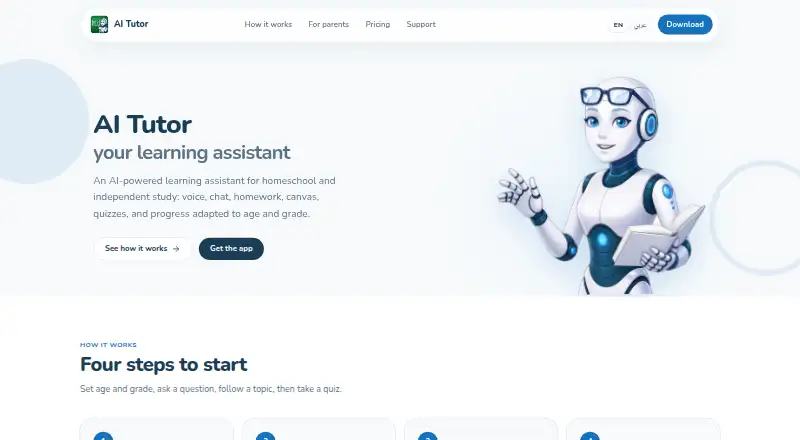
AI Tutor is an AI-powered learning assistant for homeschool and independent study, available on Android and iOS. Students can ask questions by voice or chat, then use guided learning paths adapted to their age, grade, and learning level. Study tools include uploads for worksheets and other materials, an interactive drawing canvas, quizzes with instant feedback, and progress review. Parents can create child accounts and use a dashboard to review topics and recent quizzes. Linked children can share hours, quizzes, and materials from a purchased plan. The tutor supports Arabic, English, French, German, Spanish, Italian, Turkish, and Persian, with right-to-left interface support. The free Starter plan includes 30 minutes, one quiz, and one material upload. Study and Scholar plans provide monthly credits that expire at the end of the month; unused top-up hours remain available until used. Accounts, including child accounts, are for users aged 13 and older.
Good
- Voice and chat questions are supported.
- Guided paths adapt to age, grade, and learning level.
- Includes uploads, a drawing canvas, quizzes, and progress review.
- Parents can view topics and recent quizzes.
- Supports eight languages and right-to-left interface.
Watch out
- Accounts are for users aged 13 and older.
- Study and Scholar monthly credits do not roll over.
- Plan prices vary by country and appear in app stores.
Who it suits
It suits students seeking guided, multi-subject study and families who want to review learning activity together. It supports voice tutoring and eight languages, including Arabic and Persian with right-to-left interface support.
Verdict
AI Tutor combines guided tutoring with practical study tools and parent visibility. Its free Starter allowance is limited, and monthly Study or Scholar credits expire unused.
Plans and prices
From AI Tutor's own pricing page, checked 30 Sep 2026.
| Plan | Price | What it gives you |
|---|---|---|
| Starter | Free | 30 minutes · 1 quiz · 1 material upload · Free monthly allowance |
| Power Pack | — | 10 study hours · 20 quizzes · 12 material uploads · Top-up pack; unused top-up hours stay until used |
| Quick Boost | — | 1 study hour · 1 quiz · 2 material uploads · Top-up pack; unused top-up hours stay until used |
| Scholar | — | 24 study hours · 30 quizzes · 35 material uploads · Unused monthly credits do not roll over · 1-month auto-renewing |
| Study | — | 15 study hours · 30 quizzes · 25 material uploads · Unused monthly credits do not roll over · 1-month auto-renewing |
| Study Pack | — | 5 study hours · 10 quizzes · 5 material uploads · Top-up pack; unused top-up hours stay until used |
The facts
Each one read from AI Tutor's own pages, with the date it was checked.
What it does
- Age limit
- Accounts, including parent-created child accounts, are for users aged 13 and older; the company says it does not knowingly collect personal information from anyone under 13.checked 30 Sep 2026
- AI data processing
- The privacy policy says lesson content is processed by AI providers and asks providers to use it to provide the service, not sell it as advertising.checked 30 Sep 2026
- Family features
- Parents can create child accounts, view topics and recent quizzes in a dashboard, and share a purchased plan’s hours, quizzes, and materials across linked children.checked 30 Sep 2026
- Languages
- The tutor supports Arabic, English, French, German, Spanish, Italian, Turkish, and Persian, with right-to-left interface support.checked 30 Sep 2026
- Pricing limits
- Study and Scholar monthly credits do not roll over, while unused top-up hours remain until used.checked 30 Sep 2026
- Purpose
- AI Tutor is an AI-powered learning assistant for homeschool and independent study.checked 30 Sep 2026
- Security and data
- The privacy policy describes encryption in transit and access controls, says data may be processed outside the user's country, and says it does not sell personal information.checked 30 Sep 2026
- Study tools
- The app supports worksheet and study-material uploads, an interactive drawing canvas, quizzes with instant feedback, and progress review.checked 30 Sep 2026
- Support
- Support is available by email, and the support page says replies usually come within one business day.checked 30 Sep 2026
- Tutoring
- Students can ask questions by voice or chat and follow guided learning paths adapted to age, grade, and learning level.checked 30 Sep 2026
The company
- Headquarters
- Amman, Jordanchecked 23 Sep 2026
- Maker
- AI Tutor is provided by IT Source One.checked 30 Sep 2026
Where it runs
- Platform listing
- The Google Play listing identifies AI Tutor as an Android app with in-app purchases.checked 30 Sep 2026
Money
- Price display
- The pricing page says prices appear in the App Store or Google Play and vary by country.checked 30 Sep 2026
The full review of AI Tutor
Overview
AI Tutor is a mobile learning assistant for homeschool and independent study. Students can ask questions by voice or chat, and follow guided learning paths that take account of age, grade, and learning level. Its tools cover multiple subjects, so the app is not limited to one course or language skill.
IT Source One provides the app and is headquartered in Amman, Jordan. AI Tutor is freemium: the Starter plan is free, with monthly subscriptions and top-up packs also listed. Prices for paid options are not shown in the supplied plan details; the pricing page says prices appear in the App Store or Google Play and vary by country.
For a broader look at this category, see our AI Tutoring Apps list.
Key features
Guided tutoring and study tools
Students can work with the tutor by speaking or typing questions, then follow learning paths adapted to their level. They can upload worksheets and other study materials, use an interactive drawing canvas, and take quizzes that provide instant feedback. Progress review gives students a way to revisit what they have covered.
Family controls and shared allowances
Parents can create child accounts and use a dashboard to view topics studied and recent quizzes. A purchased plan's hours, quizzes, and materials can be shared among children linked to that account. The stated account age limit is 13 and older, including for parent-created child accounts. The company says it does not knowingly collect personal information from anyone under 13.
Languages and privacy
The tutor supports Arabic, English, French, German, Spanish, Italian, Turkish, and Persian, alongside right-to-left interface support. The privacy policy says lesson content is processed by AI providers, which are asked to use it to provide the service rather than sell it as advertising. It describes encryption in transit and access controls, notes that data may be processed outside the user's country, and says personal information is not sold.
Pricing
The free Starter plan includes a monthly allowance of 30 minutes, 1 quiz, and 1 material upload. Paid prices are not listed here: the pricing page says they appear in the App Store or Google Play and vary by country.
| Plan | Price and billing | Allowance |
|---|---|---|
| Starter | free (billed Free monthly allowance) | 30 minutes · 1 quiz · 1 material upload |
| Study | Price not listed; billed 1-month auto-renewing | 15 study hours · 30 quizzes · 25 material uploads |
| Scholar | Price not listed; billed 1-month auto-renewing | 24 study hours · 30 quizzes · 35 material uploads |
| Quick Boost | Price not listed; billed Top-up pack | 1 study hour · 1 quiz · 2 material uploads |
| Study Pack | Price not listed; billed Top-up pack | 5 study hours · 10 quizzes · 5 material uploads |
| Power Pack | Price not listed; billed Top-up pack | 10 study hours · 20 quizzes · 12 material uploads |
Unused monthly credits on Study and Scholar do not roll over. Unused hours from any top-up pack remain until used.
Platforms
AI Tutor is listed for Android and iOS. Google Play identifies the Android app as including in-app purchases.
Who it's for
AI Tutor may suit students who want flexible, multi-subject support for homeschool or independent study, especially those who benefit from spoken or typed questions, uploaded materials, quizzes, and visual work. Its parent dashboard and shared plan allowances may also be useful to families managing study across linked children. The 13-and-older account limit is important for families considering it for younger learners.
Pros and cons
- Pros: Voice and chat tutoring, multiple study tools, eight supported languages, and parent visibility into topics and recent quizzes.
- Pros: The free Starter allowance offers a way to use the app without a listed paid plan.
- Cons: Paid prices are not listed in the supplied plan details, and vary by country according to the pricing page.
- Cons: Monthly Study and Scholar credits expire rather than rolling over.
- Cons: Accounts are limited to users aged 13 and older, and lesson content is processed by AI providers.
Alternatives
For a different tutoring focus, compare Synthesis Tutor, Lucida AI, and KORA Tutor. If language practice is the priority, Talkpal, ELSA Speak, Langua, and Speakerly are also listed in this category. Aristotle is another option to consider.
Verdict
AI Tutor brings conversational help, guided learning, uploads, quizzes, and progress review together in a mobile app aimed at homeschool and independent study. The family dashboard and language support broaden its appeal, while the free monthly Starter allowance makes the basic offer clear. Before choosing a paid plan, check the current in-store price for your country and consider whether non-rolling monthly credits fit your study routine. Families should also account for the stated age limit and the policy's description of AI-provider processing.
Support is available by email, and the support page says replies usually come within one business day.
Getting started
- Open the AI Tutor website or find the app on Android or iOS.
- Create an account for a user aged 13 or older.
- Start with the free Starter allowance or choose a plan in the app store.
- Use voice or chat to ask questions and follow a guided learning path.
- Upload study materials, take quizzes, and review progress.
Limits worth knowing
Starter provides a free monthly allowance of 30 minutes, one quiz, and one material upload. Study and Scholar monthly credits do not roll over; unused top-up hours remain until used.
Questions
Is AI Tutor free?
Yes. Starter is free and includes 30 minutes, one quiz, and one material upload per monthly allowance.
Which platforms support AI Tutor?
AI Tutor is available on Android and iOS.
What do Study and Scholar cost?
Their prices are shown in the App Store or Google Play and vary by country.
Do unused credits carry over?
Study and Scholar monthly credits do not roll over. Unused hours from top-up packs remain until used.
Who makes AI Tutor?
AI Tutor is provided by IT Source One.
Can children use accounts?
Accounts, including parent-created child accounts, are for users aged 13 and older.